SD Card Socket Types: Push-Push vs Push-Pull
Sep 30, 2026
SD Card Socket Types: Two Mechanisms, One Decision Framework
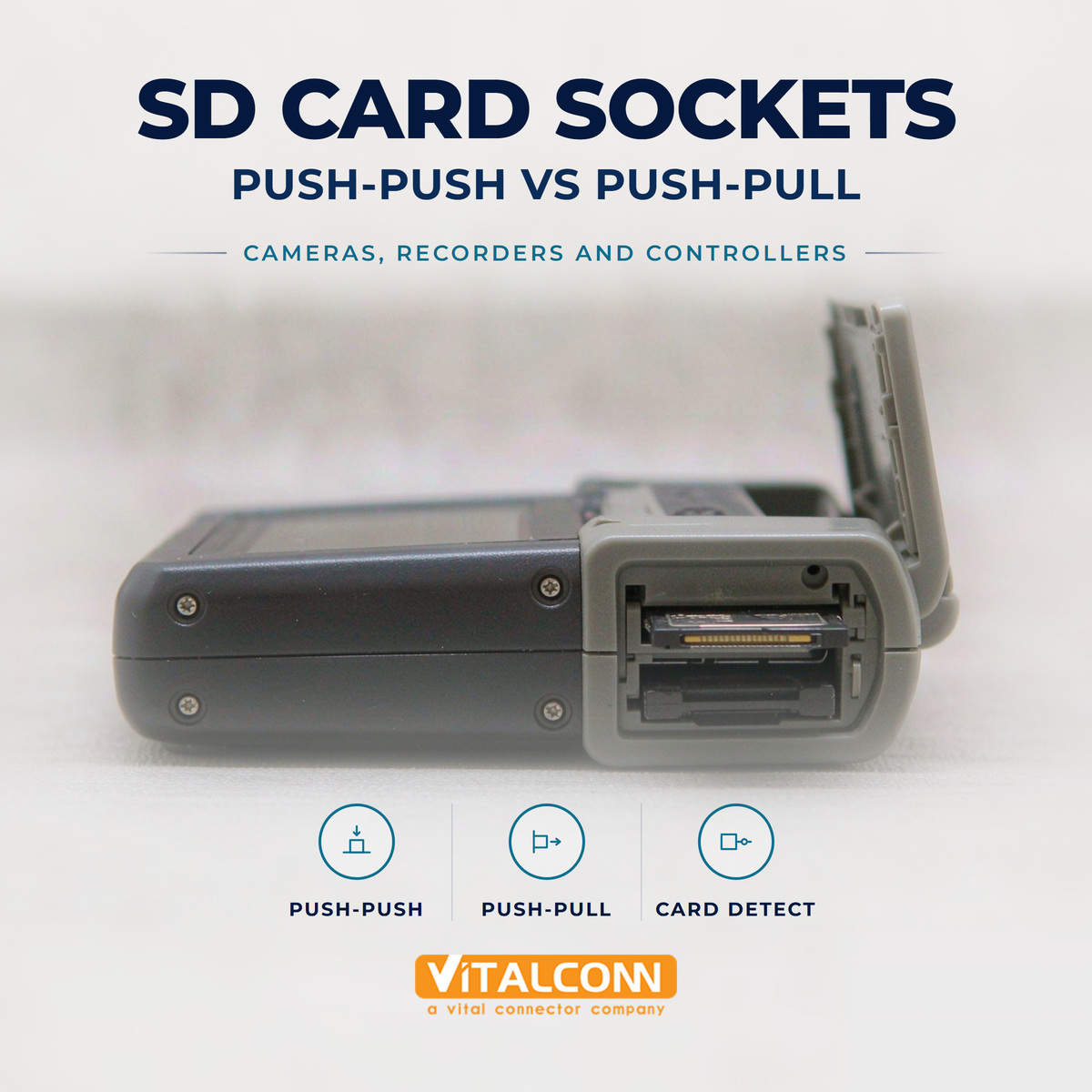
Among SD card socket types, the division that drives every other design consequence is the retention mechanism: push-push card socket designs latch the card on insertion and eject it with a second press, while a push-pull card socket holds the card by contact friction and relies on the user to pull it out. Add the card-size axis — full-size SD versus microSD — and the detection-switch question, and you have the complete selection space. This guide compares the mechanisms the way our engineers specify them for cameras, recorders, industrial controllers, and IoT devices.
Attribute
Push-Push
Push-Pull
Insertion
Slide in until latch captures
Slide in until contacts seat
Ejection
Second push releases spring
User pulls card out
Card retention
Mechanical latch — secure against shock
Contact friction only
Height / Z-profile
Taller — mechanism inside
Lowest profile
Cost
Higher
Lower
Failure mode
Spring/slider jam, dust in mechanism
Card walks out under vibration
Best for
Consumer devices, user-facing slots
Sealed devices, set-and-forget storage
Push-Push Card Sockets: The Consumer Standard
The push-push card socket earns its place in phones, cameras, and drones through user experience: the card clicks in, clicks out, and is retained by a latch rather than friction. The mechanism — a slider, a spring, and a detent track — also protects the contacts, because the card travels a defined path and the contacts wipe the pads over a controlled stroke each insertion.
The mechanism's weaknesses are the mirror of its strengths. It is taller, because the ejection hardware occupies height above the card. It adds parts that can jam, particularly in dusty or high-particulate environments where the slider track collects debris. And it specifies a shock rating rather than assuming retention — verify the latch holds at the vibration profile your product must survive, not just statically.
Push-Pull Card Sockets: Simple, Low, and Honest
A push-pull card socket strips the mechanism away and trusts the contact springs' normal force to retain the card. Fewer parts means fewer failures of the jamming kind, the lowest height in the family, and the lowest cost. In devices where the SD card is inserted once at production — data loggers, industrial controllers, embedded storage — and never touched again, friction retention is entirely adequate.
The honest limits: under continuous vibration, a friction-retained card can creep outward millimeter by millimeter until contact is intermittent or lost. The failure is insidious — the device works on the bench and drops data in the truck. Any push-pull design in a vibrating product needs a secondary retention feature: a cover, a bracket, a strap, or a card-door interlock that mechanically blocks the card's exit path.
Card Size Axis: Full-Size SD and MicroSD in Both Mechanisms
Both mechanisms exist for full-size SD and microSD. Full-size SD sockets offer larger contacts, easier hand insertion with gloves, and a card that is harder to lose — attributes valued in cameras, NVRs, and test equipment. MicroSD sockets minimize footprint and height, which matters in drones, action cameras, and space-constrained IoT boards; the price is a delicate card that wants a tool or fingernail to extract. The electrical interface is identical, so the choice is mechanical and ergonomic. Note that microSD is the same form factor as TF card — our microSD-focused selection guide covers that family in depth.
Card Format
Card Dimensions
Typical Devices
Notes
Full-size SD
32.0 × 24.0 mm
Cameras, NVRs, test gear
Robust handling, larger socket
microSD
15.0 × 11.0 mm
Drones, IoT, action cameras
Smallest footprint, delicate card
The Detection Switch: Small Feature, Large Firmware Consequences
Most quality sockets include a card-detect (CD) switch that closes when a card is fully seated. For hot-swap-capable systems, the switch lets the host quiesce the bus before the contacts separate, and debounce in firmware prevents insertion bounce from triggering spurious remounts. Spec the switch's travel and operating force along with the electrical rating; a marginal switch produces the classic 'card removed unexpectedly' errors that are actually contact-bounce artifacts.
Route CD with a pull-up and debounce in firmware — never wire it straight into reset logic.
For write-intensive applications, pair the CD switch with voltage supervision so power never drops mid-write.
Check the write-protect (WP) switch sensing on full-size SD sockets if your application uses it — microSD has no WP switch.
Selection by Application
Application
Recommended Socket
Reason
Consumer camera / recorder
Push-push, full-size SD
Frequent user card swaps, UX
Drone / action camera
Push-push, microSD
Shock retention, size
Industrial controller, card inserted once
Push-pull + secondary retention
Simplicity, low height, sealed
Data logger in vibration
Push-push or locked push-pull
Latch retention or door interlock
Public-access kiosk slot
Push-push with rugged slider
Controlled insertion, tamper resistance
Qualification Tests Worth Running
Insertion-cycle life: verify contact force and resistance after the rated cycles, not before.
Vibration with a card installed and a live read/write stream — watch for contact intermittents, the real failure signature.
Temperature cycling across the product range, then re-measure contact resistance.
Drop test with card installed, followed by data integrity verification.
Dust ingress on push-push mechanisms if the environment is uncontrolled — jamming is a mechanical lifetime issue.
For the adjacent topics in the card-connector family — SIM sockets and form factors, and the general card socket guide — see our SIM card socket types comparison and the card socket connector guide.
High-Speed Cards: What UHS-II Means for the Socket
Both push-push and push-pull SD card socket types exist in standard-speed versions, but UHS-II cards change the socket's job. UHS-II adds a second row of contacts that must engage with controlled, repeatable force for the 208 MHz and beyond signaling to work, which pushes socket vendors toward more precise contact geometry and tighter flatness on the second-row stamps. A socket specified for UHS-I will accept a UHS-II card physically, because the first-row contacts are compatible, but the card then falls back to UHS-I speeds, silently. The product specification should state not only the socket mechanism but the speed class the contact system supports, or the speed rating becomes marketing text rather than a measured capability.
Write-protect switches, present on full-size SD cards and absent on microSD, interact with the mechanism differently in the two socket types. In push-pull sockets the card slides straight in, so the WP switch stays accessible to the system's WP detect contact throughout the stroke. In push-push mechanisms the card travels slightly past its resting position during the eject action, and the WP detect contact must be positioned to avoid glitching during that travel. It is a small detail, and it is exactly the kind of detail that separates sockets that work in the field from sockets that generate intermittent write-protect faults.
UHS-II support requires a socket with the second contact row rated for the speed class, not merely a deeper first row
Confirm contact-force specifications for both rows, since second-row force decay shows up as speed-mode fallback, not as a hard failure
MicroSD sockets have no write-protect hardware; if the application needs write protection, it must be implemented in firmware
Card detection and write-protect switch bounce times belong in the driver debouncing specification, matched to the socket's mechanical timing
For engineers specifying industrial data logging or edge storage, the practical recommendation is to test with the exact production card brand and capacity, at temperature, for insertion life. Card bodies vary in thickness within the standard's tolerance window, and the socket's spring system is designed against that same window; the combination of a worst-case-thick card and a worn socket is where high-speed modes start failing first.
Frequently Asked Questions (FAQ)
What is the difference between push-push and push-pull SD card sockets?
Push-push sockets latch the card on insertion and eject it with a second press using an internal spring slider. Push-pull sockets retain the card by contact friction and the user pulls it out. Push-push is more secure and user-friendly; push-pull is lower, simpler, and cheaper.
Which SD card socket type is better for high-vibration environments?
Push-push, because the mechanical latch retains the card independent of contact friction. A push-pull socket in vibration needs secondary retention such as a cover or bracket to prevent the card from creeping out.
What does the detection switch on an SD card socket do?
The card-detect switch closes when a card is fully seated, letting the host detect insertion and removal and safely quiesce the bus before contacts separate. It should be debounced in firmware to prevent spurious card-removal events.
Do microSD sockets come in push-push types?
Yes. Push-push mechanisms exist for both full-size SD and microSD formats. The microSD versions trade a delicate card and finer mechanism for the smallest possible footprint.
How many insertion cycles do SD card sockets support?
Quality sockets specify 5,000 to 10,000 insertion cycles or more. For frequently used consumer slots, verify the rated cycles; for production-inserted cards, cycle life is rarely the limiting specification.
Need the Right SD Card Socket for Your Application?
Get samples, full datasheets, and FAE support from VITALCONN's SD card socket product line.
Explore SD Card Sockets Request Samples
Read More



 IPv6 network supported