USB-C Connector for Industrial Applications: Key Selection Factors
Oct 23, 2026
USB-C started as a phone and laptop connector. In 2026 it is also the connector on:
Industrial panel PCs and HMI displays
Machine-vision cameras
PLCs and IO-Link masters
Rugged tablets and handhelds used in field service
Test and measurement instruments
Medical carts and bedside equipment
Point-of-sale terminals and kitchen display systems
In other words, USB-C has quietly become the default power-and-data connector for a huge amount of non-consumer hardware. That is good news for designers, because the supply chain is mature and pricing is competitive. It is also a warning, because most USB-C connectors on the market are specified for consumer environments — 5 °C to 45 °C, 5 to 10 thousand mating cycles, indoor use — and those are not the operating conditions a factory floor or an outdoor enclosure sees.
This article is a working guide for engineers who need to specify a USB-C connector for industrial use. If you already understand the pinout and the 12/16/24-pin variants, the question becomes: which of those connectors actually survives an industrial environment, and what should the datasheet say that the supplier's consumer datasheet usually does not?
What “industrial” really means for a connector
The word “industrial” is doing a lot of work. The minimum baseline is usually:
Temperature: −40 °C to +85 °C operating, with reflow up to 260 °C (SMT).
Humidity / dust / water: often IP54 at the device level, sometimes IP65/IP67 with a sealed enclosure or a sealed cap.
Vibration and shock: IEC 60068-2-6 (sinusoidal) and IEC 60068-2-27 (shock); the connector must not work loose, lose contact or wear prematurely.
EMC: IEC/EN 61000-4-2 (ESD, ±8 kV contact / ±15 kV air) and IEC/EN 61000-4-3 / -4-6 (RF immunity).
Chemicals and contamination: exposure to oils, coolants, cleaning solvents, fuels, sweat, salt spray and the like.
If your design has any of these, a consumer-grade USB-C connector will fail in the field. The question is how to tell, on the datasheet, which connectors will not.
1. Mating cycles: 10,000 is the floor, not the ceiling
The USB Type-C specification defines 10,000 mating cycles as the minimum durability. That sounds generous, and it is — for a phone. In an industrial setting, the connector is likely to be mated and unmated far more often than a consumer device, at higher temperatures and with more contamination.
What to look at on the datasheet:
Mating-cycle rating at the connector's full operating temperature range. Some suppliers only test at 25 °C.
Mating and unmating force per the spec. USB Type-C specifies a mating force of 5–20 N and an unmating force of 8–20 N. If the connector sits at the high end (20 N), the field operator will get tired of plugging it in — and they will not plug it in, which is its own kind of failure.
Wear behaviour of the contact and shell. The shell is the part that wears first; stainless-steel shells outlast brass-nickel shells by a wide margin in high-cycle environments.
Latching and locking features. Standard USB-C is friction-latched. For vibration or rough handling you want either a screw-locked variant (the USB-C screw-lock pattern, which adds M2 mounting screws around the receptacle) or a panel-mount variant with a retention feature.
If your industrial design uses an external cable that may get pulled, do not rely on the USB-C friction latch alone. Specify a cable with a screw-lock and a mating receptacle that accepts it, or a panel-mount receptacle with mechanical strain relief.
2. Ingress protection: IP54 at the device, IP65/67 at the connector
USB-C is not waterproof by design. The receptacle is a precision-machined opening with a deep cavity; water, dust and contamination can sit at the back of the cavity and short signals or corrode contacts.
The system-level IP rating is what matters — but it is decided by the connector + the housing + the cable + the cap (if any). Industrial designs typically achieve IP54 (dust-protected plus splashing water) at the device level with a standard USB-C connector and a careful gasket design. To reach IP65/IP67 (dust-tight plus water jet or temporary immersion), the choices are:
A sealed USB-C receptacle with an internal O-ring or gasket against the housing, plus a cap that closes over the connector.
A USB-C connector with a sealing cover that engages automatically when the cable is removed.
A panel-mount receptacle with a separate sealing shroud.
There is also a market for M12-to-USB-C adapters that move the USB-C signals out of the wet zone into an M12 connector (A-coded, D-coded or X-coded for higher speeds). This is the right answer if the application is genuinely wet and the cable is part of the system, but it adds a connector transition and a cable.
Connector IP ratings are for the mated assembly, not an unmated opening.If you are using a USB-C receptacle in an enclosure that will be washed down, do not rely on the connector's own IP rating alone — design the gasket and the cap into the housing.
3. Current rating and Power Delivery: how much power, how clean
Industrial USB-C applications usually involve one of two power profiles:
5 V / 0.5–1.5 A for sensors, IO-Link masters, simple HMI panels and any device that does not need a high-current USB-C charger.
5 V / 3 A, 9 V / 3 A or higher, with USB PD negotiation, for tablets, panel PCs, displays and PoE-like applications.
The connector's role is to carry the power and signal with the temperature rise the spec allows. The spec is a hard one: the mated pair's temperature rise must not exceed 30 °C above ambient at rated current. A USB-C connector rated at 3 A is a different part from one rated at 5 A, and the difference is in the VBUS pin cross-section, the plating, the housing's thermal conductivity and the contact normal force.
What to specify:
Rated current per pin — typically 1.25 A or 1.5 A for VBUS/GND on a 5 A-rated part; 0.5 A for a 0.9 A-rated part.
Temperature-rise curve at the worst-case current and ambient, not at 25 °C.
Plating thickness in the contact area (see section 4).
High-current variants. For 5 A / 100 W applications, the connector must be a part designed for it. A 3 A USB-C part can carry 5 A briefly, but the connector will overheat and the warranty claim will arrive first.
For the full 100 W USB PD story, including contact design and thermal layout, see USB-C Connector for 100W Power Delivery.
4. Contact plating: where consumer and industrial diverge
Most USB-C datasheets quote a “gold flash” or 3 µin in the contact area, which is fine for consumer use. Industrial use needs more.
30 µin (0.76 µm) gold over 50–100 µin (1.27–2.5 µm) nickel is a typical industrial baseline.
Selective gold in the contact zone, with tin-lead or tin on the solder tail, is normal. Avoid gold over tin — it creates brittle intermetallics at the reflow joint.
Shell plating. Stainless steel shells are best for wear and corrosion. Nickel-plated brass shells are common in cost-driven designs and acceptable in benign environments.
Mixed flowing gas testing. The best predictor of long-term corrosion is a mixed flowing gas test per IEC 60068-2-60 or Telcordia GR-1217-CORE. If the supplier cannot quote MFG exposure data, ask for it.
A second plating detail that matters: the CC (configuration channel) pins. These negotiate USB-C orientation, role and current, and they carry the 5.1 kΩ or 56 kΩ pull-down/up that defines the role. A dirty or worn CC pin means a device that does not enumerate, or a charger that does not deliver the right voltage. Make sure the CC pins are gold-plated to the same thickness as the high-speed pins, not given the “flash” treatment.
5. Vibration, shock and mechanical retention
USB-C was designed for hand-held devices. It tolerates typical consumer vibration, but industrial vibration is in a different league. Specific risks:
Fretting corrosion at the contact interface — the slow, mechanical wear caused by micro-movement at the contact, accelerated by heat and humidity. It shows up as rising contact resistance over months.
Latch wear. The USB-C friction latch is a small stamped feature in the cable plug overmold. It wears.
Solder-joint fatigue. Vibration in the 10–500 Hz range, sustained, can crack the solder joints of an SMT USB-C receptacle if the PCB is not mechanically supported.
What to look for:
High contact normal force — the spec leaves room for this; the designer's job is to use the upper part of the range. Higher normal force resists fretting but increases mating force.
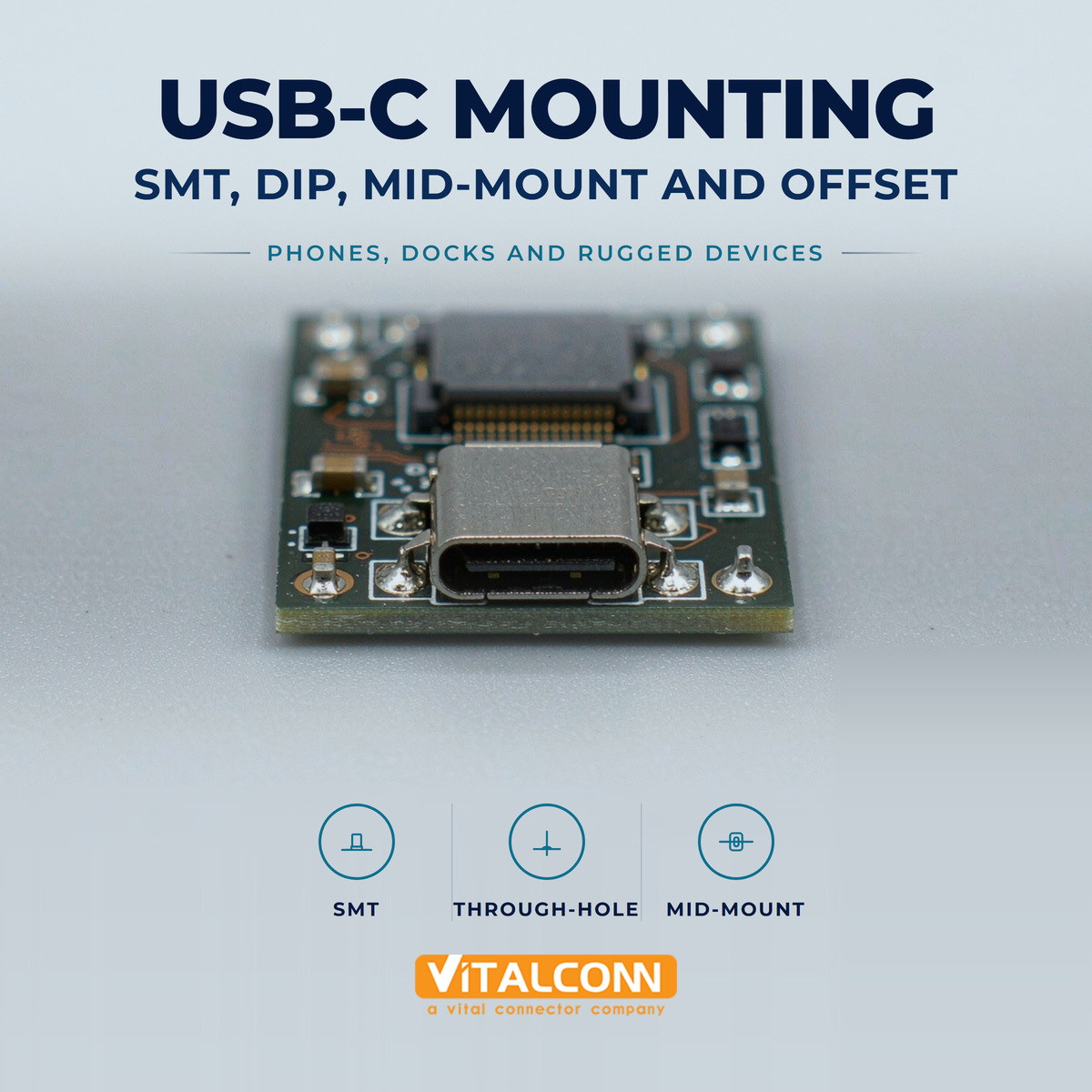
Mechanical support features — through-hole board stakes (“kinked” leads or solder nails) that take stress off the SMT pads. VITALCONN USB-C receptacles for industrial use ship with hybrid SMT + through-hole leads as standard, because the field history of pure-SMT USB-C under vibration is not good.
Panel-mount variants for applications where the connector is the mechanical interface to the enclosure. These move strain away from the PCB.
Compliance with IEC 60068-2-6 / -27. Ask the supplier for the actual test report, not a generic statement. “Industrial grade” is a marketing word; vibration test data is not.
6. ESD, surge and EMC
Industrial environments are electrically dirty. The USB-C connector is the cable-side entry point for ESD and surge, and it is a small, high-impedance target. The connector itself does not protect you — the protection circuit does — but the connector's geometry affects how easily energy reaches the protection devices.
ESD. A USB-C connector mounted at the edge of a chassis with the shell well-bonded to chassis ground shunts ESD to chassis before it reaches the signal pins. A connector mounted on a plastic bezel with a long, thin ground trace will not. Layout matters more than the connector.
Surge. For outdoor or long-cable runs, surge protection is required on VBUS and the data lines per IEC 61000-4-5. The connector is a path, not a barrier.
Common-mode choke and ESD TVS. USB-C high-speed lanes need a common-mode choke for EMI compliance and a TVS array for ESD. Place them close to the connector — the closer, the more effective.
Shielding. A fully shielded USB-C receptacle with a 360° shell, properly stitched to the PCB ground plane with multiple vias, keeps emissions inside the box and ESD out. An unshielded or partially shielded receptacle will not.
For a 24-pin USB-C receptacle in a 10 Gbps or 20 Gbps design, the signal-integrity story is also part of EMC. See USB-C Signal Integrity at 10 Gbps and 40 Gbps for the parameter set, and USB-C Pinout Explained for the role of the CC and SBU pins in PD and high-speed multiplexing.
7. Housing, plating and the long-term heat soak
Industrial electronics are often sealed, and a sealed enclosure traps heat. A USB-C connector rated to 85 °C operating in still air at the bench may run 10–15 °C hotter in a sealed metal box with a 30 °C ambient. The datasheet should give a derating curve, not a single number.
Housing material: LCP (liquid crystal polymer) is the standard for high-temperature USB-C receptacles because it survives lead-free reflow and stays dimensionally stable at temperature. PBT and PA66 are used in lower-cost designs but have lower continuous-use temperatures. UL94 V-0 is the minimum flammability rating for industrial electronics; some applications require V-0 with a glow-wire ignition temperature rating per IEC 60695-2-11.
If the design includes a panel-mount metal shell, the shell material matters:
Stainless steel — best for wear, corrosion and high mating cycles.
Brass with nickel plating — lower cost, acceptable for indoor industrial use.
Copper alloy with tin — rare on the connector body, common on the shield tabs.
8. The standards that actually matter for industrial USB-C
A few standards and certifications are not optional for industrial USB-C:
USB Type-C Cable and Connector Specification (current release R2.x) — defines the receptacle, the plug, the pinout, and the electrical and mechanical limits.
USB Power Delivery Specification (R3.1 with EPR) — defines how voltage, current and roles are negotiated.
IEC 62680-1-3 — the international adoption of the USB Type-C spec.
IEC 62368-1 — audio/video and ICT equipment safety. The creepage and clearance from VBUS (up to 48 V under EPR) to SELV circuits and to chassis is a compliance item.
UL 1977 — connector safety standard, often cited in industrial-equipment BOMs.
RoHS, REACH — the usual environmental compliance.
For specific verticals: EN 50155 (rail), IEC 61850-3 (substation), ISO 7637-2 (automotive), IEC 60601-1 (medical). The connector vendor will not be the certifying body for these, but they need to provide the data the integrator needs.
Industrial USB-C selection snapshot
Decision
What to specify
Common consumer default (avoid)
Operating temperature
−40 °C to +85 °C minimum, with derating curve
0 °C to +70 °C, no derating
Mating cycles
10,000 per spec, verified at temperature
Tested at 25 °C only
IP rating
System-level IP54 minimum; IP65/67 for outdoor
IP20 / not rated
Plating
30 µin gold / 50 µin nickel, MFG-tested
Gold flash
Current rating
5 A if you need 100 W PD, with temperature-rise curve
0.9 A or 3 A at 25 °C
Shell material
Stainless steel preferred
Nickel-plated brass
Mechanical retention
Hybrid SMT + through-hole stakes
SMT only
Latching
Friction + screw-lock or panel retention
Friction only
Standards
USB-IF, IEC 62680-1-3, IEC 62368-1, UL 1977
USB-IF only
Vibration / shock
IEC 60068-2-6 / -27 with test report
“Industrial grade” with no data
Frequently Asked Questions (FAQ)
Can I use a standard USB-C receptacle on a factory floor?
Maybe, if the enclosure is sealed to IP54, the connector is not in the wet zone, and the temperature stays within the consumer range. Otherwise, no — specify an industrial variant.
Is a screw-lock USB-C really necessary?
If the cable can be pulled, the device can be moved, or there is sustained vibration, yes. The friction latch is for hand-held consumer use, not for moving industrial equipment.
What is the most common industrial USB-C failure mode?
In our experience: CC pin contamination, then shell wear at the front lip, then solder-joint fatigue on SMT-only mounting. All three are addressable in connector selection.
Does a 24-pin USB-C connector cost significantly more than a 16-pin?
Yes — a 24-pin connector has more contacts, more shielding and tighter tolerance. For applications that do not need USB 3.x high-speed data, a 16-pin USB 2.0 variant is a legitimate cost-down.
How do I get a USB-C connector that survives an outdoor enclosure?
The connector is only one part of the system. Pair it with a sealed housing, a sealed cap for the unmated state, and proper EMC/ESD layout. The connector is the entry point; the housing is the system.
VITALCONN ships USB Type-C receptacles in 6-pin, 16-pin and 24-pin variants, in industrial temperature range, with hybrid SMT + through-hole mounting, in single-port and multi-port configurations.
Browse USB-C connectors, or send your pin count, current rating, data rate and operating environment — we will come back with a shortlist and the test data behind it.
Browse USB-C Connectors Send Your Spec
Read More




 IPv6 network supported