Leave A Message
If you are interested in our products and want to know more details,please leave a message here,we will reply you as soon as we can.
submit

Blog

Home

Blog

  • How to Choose a USB-C Connector for USB 3.2 and USB4
    How to Choose a USB-C Connector for USB 3.2 and USB4
    Sep 22, 2026
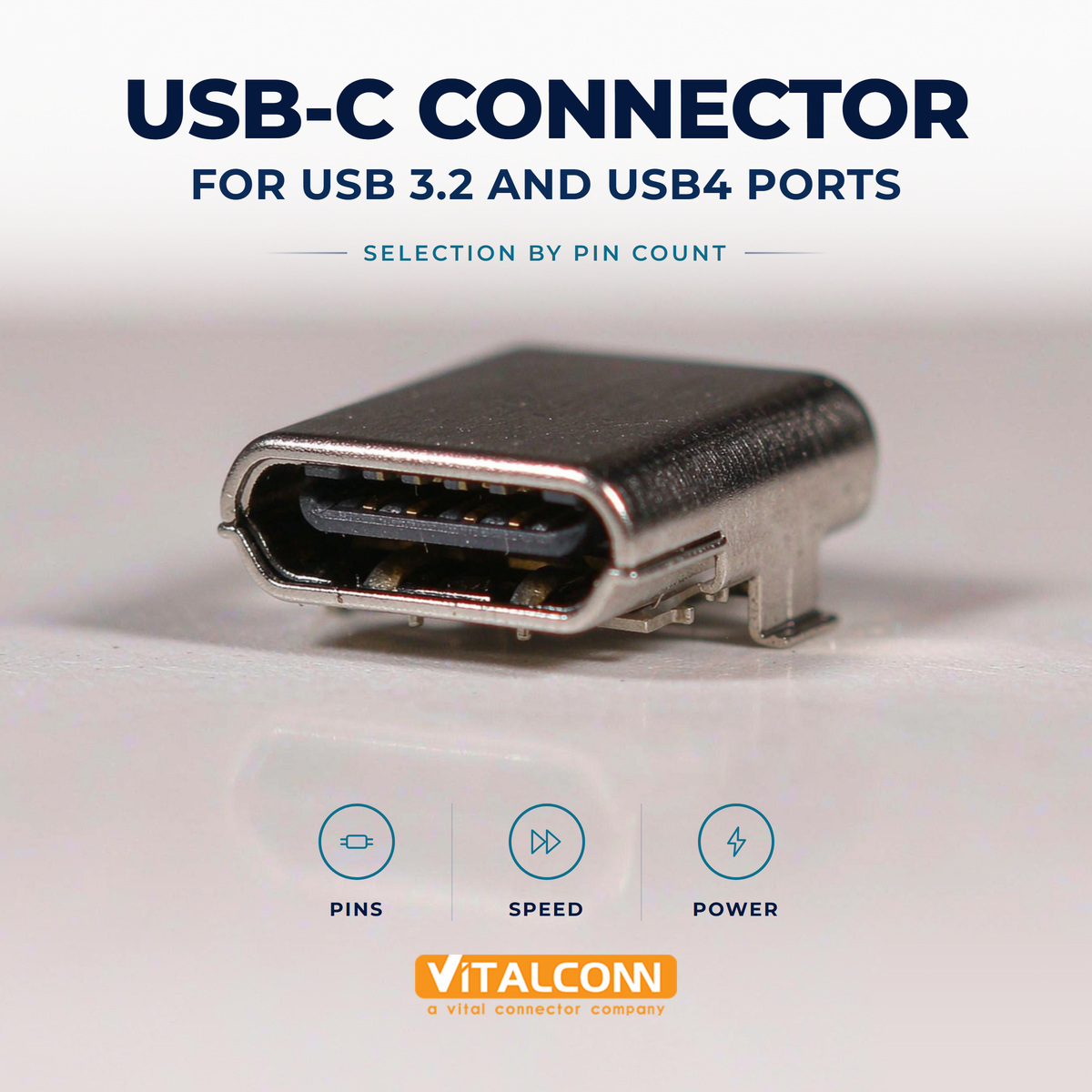
    USB-C Connector Selection: Pin Count Before Anything Else USB-C connector selection starts with a pin-count decision that determines everything downstream. A full-featured 24-pin receptacle carries the eight SuperSpeed differential lanes, both USB 2.0 data pairs, CC1/CC2, SBU, and the full VBUS/GND set. A 16-pin variant deletes the SuperSpeed lanes — fine for USB 2.0 and charging, fatal for USB-C USB 3.2 or USB-C USB4 operation. Choose wrong and no firmware or PHY can recover the missing pairs. The rule is simple: if the product will ever move data faster than USB 2.0 (480 Mbps), it needs the 24-pin connector with all SuperSpeed lanes routed. The trade-off analysis between 12-pin, 16-pin, and 24-pin families — including which cost-sensitive products can legitimately drop the high-speed lanes — is covered in our USB-C connector types comparison. Requirement Connector Needed Lanes That Matter Charging + USB 2.0 data 16-pin (or 24-pin unused SS) D+/D−, CC, VBUS USB 3.2 Gen 1 (5 Gbps) 24-pin One TX/RX lane pair per direction USB 3.2 Gen 2 (10 Gbps) 24-pin TX/RX lanes with 10G SI class USB4 (20/40 Gbps) 24-pin All four lane pairs, connector SI at 20 Gbps/lane USB4 + Thunderbolt 24-pin, certified class All lanes + CC/PD controller grade Signal Integrity: Where USB 3.2 and USB4 Part Ways At 5 and 10 Gbps, a quality 24-pin connector with careful routing passes certification routinely. USB4 raises the lane rate to 20 Gbps (40 Gbps aggregate over two lanes each way), where the connector's impedance discontinuities, crosstalk between adjacent TX and RX lane bundles, and the return-current path of the shell all appear in the eye diagram. For USB-C USB4 designs, select connectors whose datasheets publish S-parameters and are intended for 20 Gbps-per-lane operation, and budget board layers for a clean, symmetric escape. The CC pins deserve their own attention because they carry PD negotiation at up to 240 W under PD 3.1 EPR. Our USB-C CC pins article explains the detection and power-advertisement logic that runs on CC1/CC2 — logic that assumes the connector brings those pins out intact to your controller. Power: Match VBUS Path and Contact Rating to the PD Contract USB-C power scales from 15 W (5 V, 3 A) through 100 W (20 V, 5 A) to 240 W (48 V, 5 A). The connector's VBUS and GND pins are paralleled internally, but the part's current rating and the PCB's via/trace design must match the highest contract the product will negotiate. For 5 A designs, the contact resistance specification is the number that generates heat: every milliohm across four paralleled VBUS pins matters at 5 A. Derate for temperature and for the connector's insertion-cycle aging. Mounting and Mechanical Options With the electrical class fixed, the mechanical format follows the product. Mid-mount (center-mount) receptacles present the port in a standard device cutout; offset and through-hole variants serve thicker panels. SMT signal legs dominate modern designs, sometimes hybridized with through-hole anchor legs for retention. For a structured comparison of SMT, mid-mount, and offset styles, see our guide to USB-C connector mounting types. Selection Factor USB 3.2 Design USB4 Design Pin count 24-pin required 24-pin required Connector SI data 10G-class sufficient 20 Gbps/lane class required CC/PD controller Per power contract Per power contract; PD 3.1 for >100 W VBUS rating Per PD contract Per PD contract; EPR-aware layout for 48 V Shell/EMI features Standard High-density shielding features preferred Routing complexity High Very high — budget board layers early The Selection Checklist Fix the protocol roadmap: fastest USB mode the port must ever support. Select pin count from the roadmap (24-pin for anything above USB 2.0). Screen connectors for published SI data at your lane rate; reject parts with no S-parameters for 20 Gbps designs. Match VBUS/GND current rating to the maximum PD contract, with thermal derating. Choose the mechanical format (mid-mount, offset, SMT/hybrid) from the enclosure cutout design. Plan ESD on CC, SBU, and VBUS near the connector. Reserve routing layers for the SuperSpeed escape before the floorplan is frozen. For the connector fundamentals — full pinout, CC logic, orientation detection — the Ultimate Guide to USB Type-C connectors and our USB-C pinout reference are the companion articles to this selection guide. Mechanical Endurance: What a USB-C Connector Must Survive in Production Electrical selection gets the attention, but USB-C connectors are mechanically among the most stressed parts on a modern board. The rated insertion life, typically ten thousand cycles for standard receptacles, is only the headline. The fine-pitch contact system must maintain normal force through those cycles while tolering user behavior the standard does not fully describe: cables pulled sideways, plugs levered during removal, and devices picked up by their cables. A connector that meets its cycle rating on a test fixture can still fail early in a handheld product if the shell anchoring to the board is weak. This is where mounting choice and mechanical selection interact. Mid-mount and through-hole-shell USB-C connectors transfer insertion forces into the board and chassis far better than pure SMT shells, which is why virtually every phone and laptop uses a shell with through-hole anchor legs even when the signal contacts are reflowed in place. For hobby-grade boards this is a nice-to-have; for any product with a metal chassis and end users, it is the difference between a return and a warranty statistic. THT shell legs also give the port a ground path with lower inductance, which quietly improves ESD behavior at the same time. Check the retention-force specification for the receptacle shell, and how it is anchored: SMT pads, THT legs, or both Verify the connector survives the product's drop and cable-pull requirements, not only the connector's own cycle rating For sealed products, confirm an IP-rated variant exists in the same footprint before the mechanical design locks ESD: confirm the TVS protection footprint sits close to the connector, because trace length from connector to protection directly affects survival The final mechanical check is human: put the actual enclosure, board, and a set of real cables in front of five people and watch them plug in. Watch for two-handed insertion, wiggling to find the orientation they expect, and sideways pull on removal. Every one of those behaviors is data about how the connector will be treated in the field, and it is cheaper to watch it in the office than to read about it in warranty claims. Frequently Asked Questions (FAQ) Do I need a 24-pin USB-C connector for USB 3.2? Yes. USB 3.2 data travels on the SuperSpeed differential lanes that exist only on 24-pin connectors. A 16-pin connector physically lacks these lanes and cannot support USB 3.2. Can any 24-pin USB-C connector support USB4? No. USB4 runs 20 Gbps per lane, so the connector must be a signal-integrity grade qualified for that rate, with published S-parameter data. A connector that passes USB 3.2 may not meet USB4 eye and crosstalk requirements. What connector features matter for 100W/240W USB-C power? The paralleled VBUS and GND pins' contact resistance and current rating dominate thermal performance. For 5 A contracts, choose connectors with low, specified contact resistance and design the PCB path with matching capacity. What is the difference between USB-C connector mounting types? Mid-mount receptacles sit in a standard panel cutout, offset variants serve thicker housings, and SMT (sometimes hybrid with through-hole anchors) defines the board attachment. The choice follows enclosure and retention requirements. Does USB4 require Thunderbolt-certified connectors? USB4 and Thunderbolt share the 40 Gbps physical capability but are separate certifications. A USB4 design needs connectors qualified for the lane rate; Thunderbolt compatibility additionally requires certification of the whole system. Need the Right USB-C Connector for Your Application? Get samples, full datasheets, and FAE support from VITALCONN's USB Type-C connector product line. Explore USB-C Connectors Request Samples
    Read More
  • SFP Cage Selection Guide for 1G, 10G and 25G Applications
    SFP Cage Selection Guide for 1G, 10G and 25G Applications
    Sep 21, 2026
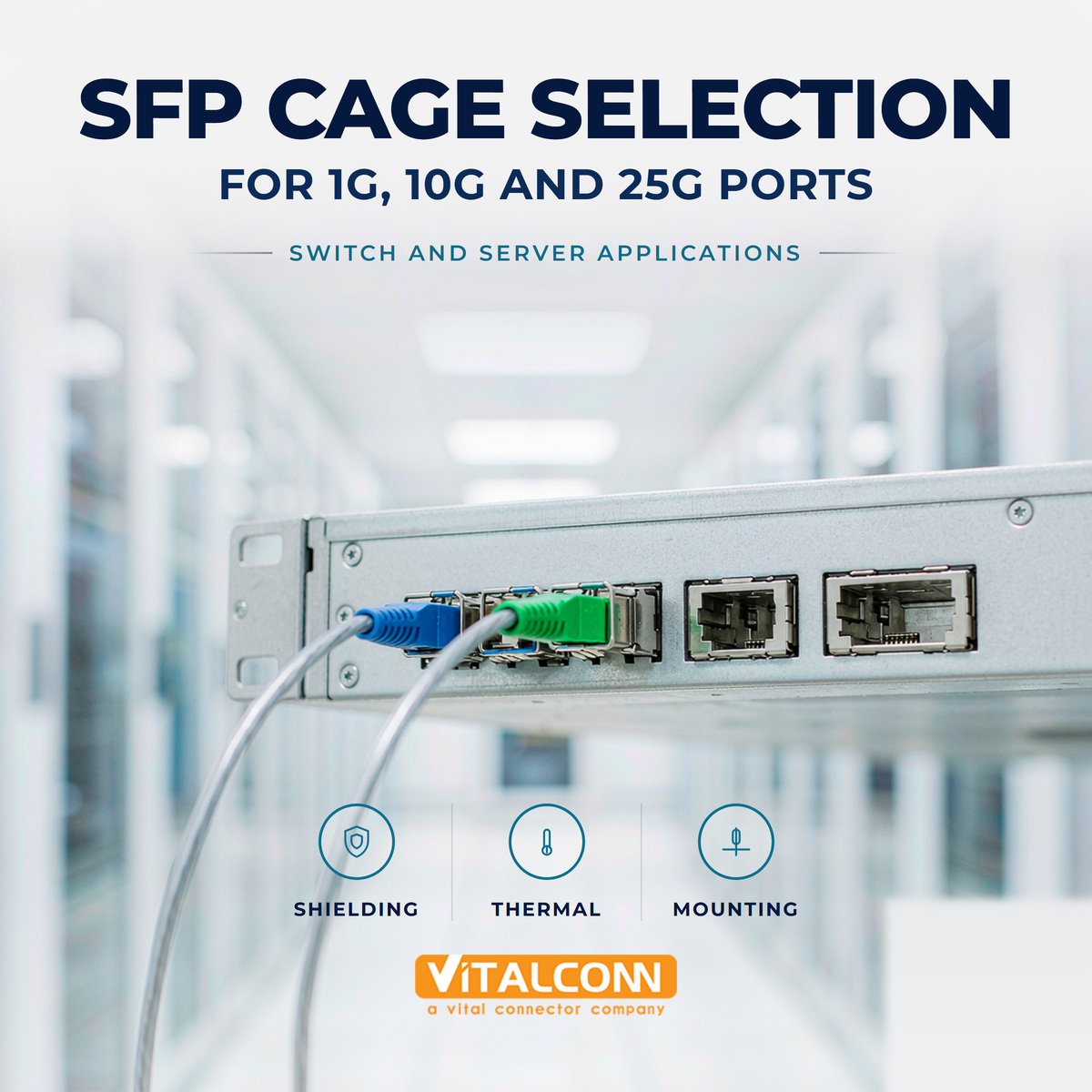
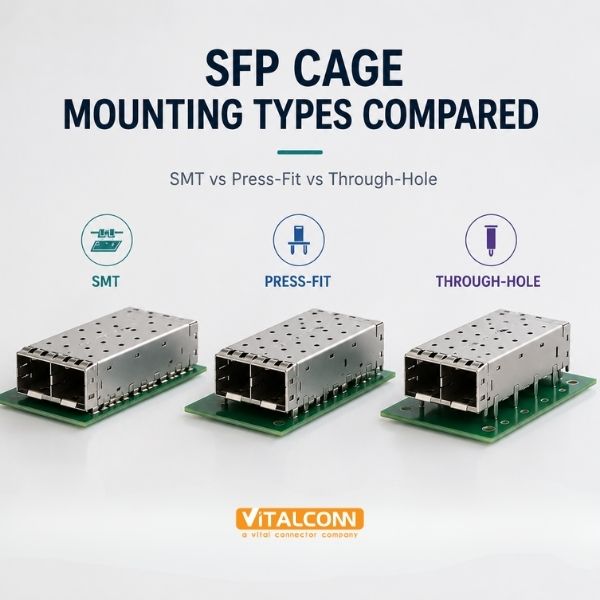
    SFP Cage Selection: The Data Rate Decides the Family SFP cage selection follows the data rate first, because the cage you choose must accept the modules your system will field now and later. For 1G, the classic SFP cage is a mature, commodity part. For 10G, SFP+ cage selection adds tighter EMI and signal-integrity expectations. For 25G, an SFP28 cage is the standard choice — mechanically the same form factor, electrically qualified for the faster SerDes. The good news for system designers: the mechanical envelope is common across the family, so the same board can often host SFP+ or SFP28 cages if the footprint was planned for it. Application Cage Family Module Data Rate Key Selection Drivers Fast/Gigabit Ethernet SFP cage 1 Gbps Cost, basic EMI fingers 10G Ethernet / Fibre Channel SFP+ cage 10 Gbps EMI finger quality, thermal path 25G Ethernet SFP28 cage 25 Gbps Full shielding, signal integrity, thermal Mixed-speed platforms SFP28-capable footprint 1–25 Gbps Forward-compatible design Step 1: Verify the Electrical Class, Not Just the Label Because SFP, SFP+, and SFP28 share a mechanical MSA, a cage that 'fits' every module is not automatically qualified for every module. At 25G, the SerDes edge rates produce harmonic energy that finds every aperture and every marginal grounding joint, so an SFP28 cage family will specify finer finger pitch, EMI-enhanced bezel features, and in the premium variants conductive gaskets around the bezel opening. Review the shielding section of our SFP cage EMI shielding guide for the fingers-versus-gasket analysis. Step 2: Thermal Design — the Cage Is a Heat Spreader At 10G and especially 25G, module power rises, and the cage becomes part of the cooling system. The module dumps heat into the cage through the crown spring fingers; the cage moves it into the board via mounting legs and into the airflow via its surface. Your SFP cage selection should therefore be made together with the enclosure airflow plan: bare cage for generous airflow, integrated or clip-on heatsink for dense or still-air designs. Confirm the vendor provides thermal resistance data and that your worst-case module power stays inside the module's allowed case temperature at your worst-case ambient. Match cage heatsink provision to module power class, not to average power. For ganged 1×N cages at 25G, evaluate all ports populated at full power simultaneously. Verify crown spring finger normal force — it is the thermal joint, and it is also the EMI joint. Step 3: Mounting and Footprint Decisions The mounting style — SMT for cost, press-fit for reliability — changes the ground joints and the assembly process; the full comparison is in our SFP cage mounting article. Whichever you choose, the SFP cage footprint and mechanical keep-out must be walked against your layout early, because the high-speed escape routing under a ganged cage is the single most constrained region of a switch board. Step 4: Port Count, Pitch, and Panel Planning Choose single (1×1) cages for few ports or irregular panels, ganged 1×N for uniform port fields. The fixed pitch of a ganged cage must match both the facepanel standard and your routing budget. For platforms that will host mixed data rates — a common case for access switches sold into different markets — standardizing the footprint across SFP+ and SFP28 cage families preserves the option to populate per SKU. The Selection Checklist Fix the module roadmap: which data rates will this port ever carry, at what module power? Select the cage family (SFP / SFP+ / SFP28) with margin above the fastest module you will field. Choose the shielding class: fingers, EMI-enhanced fingers, or full gasket, matched to your certification margin. Choose the thermal option: bare, integrated heatsink, or clip-on, validated against enclosure airflow. Pick the mounting method by reliability and assembly economics: SMT or press-fit. Verify footprint, keep-out, and panel cutout against the board and facepanel drawings. For 25G designs, review the connector's signal-integrity data (crosstalk, impedance continuity) — not just the shield features. For the underlying differences between cage families, read SFP cage vs SFP+ cage; for a broader introduction, the Ultimate Guide to SFP cage connectors covers the product family from first principles. Designing One Board for Multiple Data Rates The most cost-effective SFP cage selection is sometimes the one that supports a data rate the product does not ship with yet. Because SFP, SFP+, and SFP28 share the same mechanical envelope, a board designed for a 25G-capable cage and layout can carry 1G or 10G modules today and accept faster modules after a firmware release. The constraint is electrical: a 25G-ready design must route to 25G signal-integrity rules from day one, which costs PCB layers and material grade even while the product ships slower modules. For products with a five-year life and a plausible speed upgrade in the roadmap, that upfront cost is usually cheaper than a board re-spin. The thermal design deserves the same forward thinking. A cage sized for the thermal class of today's low-power 1G module may be marginal for the 25G module the roadmap promises. Since the cage is the heat spreader, its footprint, stitch vias, and copper pours should be designed for the hotter module even if the bill of materials starts with cooler ones. Reworking a thermal design after the board is frozen costs panel real estate and schedule; specifying it early costs a meeting. Route high-speed pairs to the highest data rate on the roadmap, then populate and test at the shipping rate Qualify the cage footprint and keepout against the tallest and hottest module on the roadmap, not just the shipping module Leave firmware and identification support for module classes you may add later, since the host must recognize new module types gracefully Document which layout elements are rate-limited, so a future speed upgrade starts from a known constraint list The upgrade path also has a procurement dimension worth one line in the design notes: cages rated for higher electrical classes are produced in the same mechanical families, so the mechanical and sourcing work done for 10G transfers almost unchanged to 25G. The engineering investment concentrates in layout and thermal, which is exactly where it pays back across a long product life. Frequently Asked Questions (FAQ) Can an SFP+ cage support 25G SFP28 modules? Mechanically yes — SFP, SFP+, and SFP28 share the same form factor. Electrically, 25G operation demands tighter EMI shielding and signal integrity, so an SFP28-rated cage family is recommended for designs that will run 25G modules. What is an SFP28 cage? An SFP28 cage accepts SFP28 modules for 25G Ethernet. It has the same mechanical envelope as SFP/SFP+ cages but is qualified for the higher SerDes rates, with tighter EMI shielding and signal-integrity specifications. Does an SFP cage selection affect thermal performance? Yes. The cage conducts module heat through its crown spring fingers into the board and the airflow. At 10G and 25G, the heatsink option and finger contact force are first-order thermal design decisions. Should I choose press-fit or SMT SFP cages for a 25G design? Both can work at 25G. Press-fit offers gas-tight ground joints and better thermal-cycling reliability; SMT offers lower assembly cost. The shielding and SI requirements are met by both when all legs are grounded. Can one board design host both SFP+ and SFP28 cages? Often yes, because the families share the mechanical envelope and similar footprints. Standardizing on an SFP28-capable footprint lets you populate different cages per SKU while keeping one board layout. Need the Right SFP Cage Connector for Your Application? Get samples, full datasheets, and FAE support from VITALCONN's SFP cage connector product line. Explore SFP Cage Connectors Request Samples
    Read More
  • RJ45 Connector Selection for 1G, 2.5G, 5G and 10G Ethernet
    RJ45 Connector Selection for 1G, 2.5G, 5G and 10G Ethernet
    Sep 18, 2026
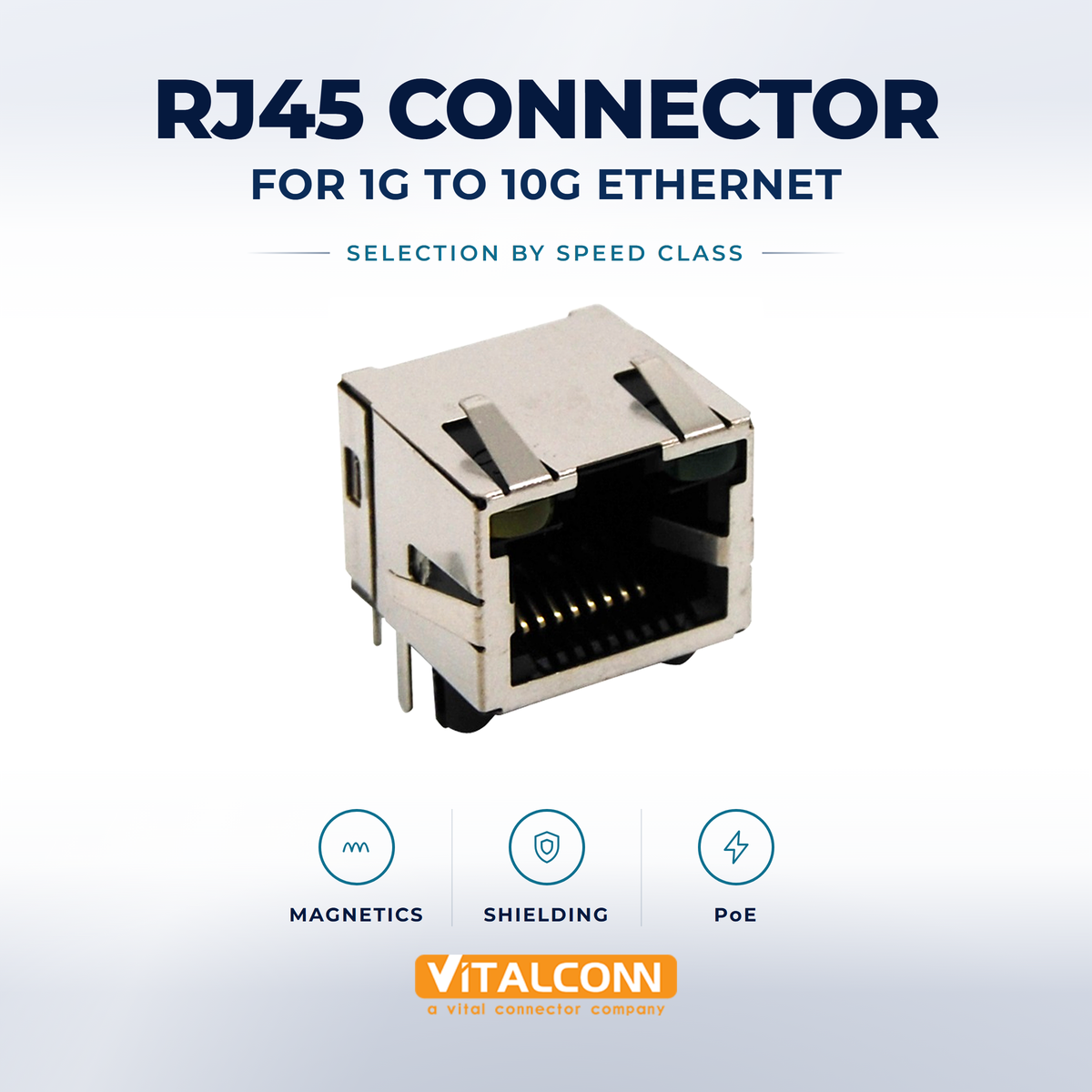
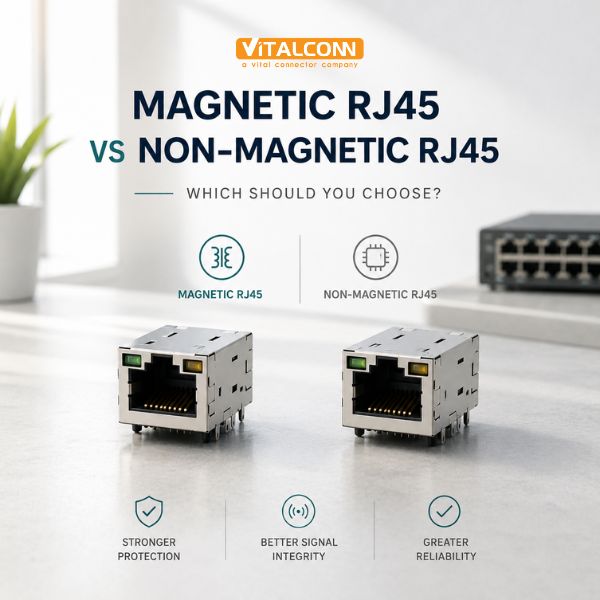
    RJ45 Connector Selection Starts With the Data Rate RJ45 connector selection for multi-gigabit Ethernet comes down to one question first: which data rate must the channel support for its entire life? The same 8P8C interface carries 1G, 2.5G, 5G, and 10G, but the electrical demands scale steeply — a 10G RJ45 connector must control return loss and crosstalk over a bandwidth roughly ten times wider than a gigabit part. The right RJ45 connector selection process therefore works down a ladder: data rate, then magnetics class, then shielding and mechanical format, and only then commercial factors. The frequencies involved explain why. 1000BASE-T signals occupy roughly 80 MHz of spectrum; 2.5GBASE-T and 5GBASE-T stretch to 200 MHz; 10GBASE-T uses up to 500 MHz. Every doubling of bandwidth tightens the impedance tolerances, magnetics bandwidth, and crosstalk isolation the connector must deliver. Ethernet Standard Data Rate Bandwidth Demanded Connector Class 1000BASE-T 1 Gbps Up to ~80 MHz Standard gigabit jack + magnetics 2.5GBASE-T 2.5 Gbps Up to 200 MHz Cat 5e/6-class channel; verified jack 5GBASE-T 5 Gbps Up to 200 MHz Cat 6-class channel; verified jack 10GBASE-T 10 Gbps Up to 500 MHz Cat 6A-class; 10G-rated jack + magnetics Step 1: Match the Magnetics to the Speed Class The jack contacts rarely fail at speed — the magnetics do. Transformer bandwidth, return loss, and crosstalk specifications in the magnetics determine whether the PHY can equalize the channel. For 1G designs, virtually any modern magnetic jack meets the requirement with margin. For 2.5G and 5G, specify parts whose datasheets explicitly claim 2.5G/5G capability — these exist because the PAM-encoded multi-gigabit standards stress crosstalk in ways plain gigabit parts never see. For 10G, insist on magnetics with published insertion/return loss and near-end crosstalk data through 500 MHz, integrated in a high speed RJ45 connector or as a discrete module with a controlled layout. The magnetic architecture decision interacts with speed: see magnetic RJ45 vs non-magnetic RJ45 for the integrated-versus-discrete trade-off. In short: at 1G–5G, integrated magnetics dominate for convenience; at 10G, teams often prefer discrete magnetics to own the layout. Step 2: Shielding Decision by Speed and Environment At 1G in clean environments, an unshielded jack is standard practice. At 2.5G/5G, shielding becomes advisable wherever the product shares a board with switching power supplies or wireless antennas. At 10G, shielding is effectively mandatory for radiated-emissions compliance: the connector aperture is the dominant leak point at 500 MHz. The full reasoning is in our shielded vs unshielded RJ45 comparison. Step 3: Power (PoE) Requirements Set the Center-Tap Rating Multi-gigabit and PoE frequently travel together — wireless access points run 2.5G with 802.3bt power on the same cable. If your design carries PoE, the magnetics' center-tap current rating must match the class: 13 W, 25.5 W, 51 W, or 90 W. Never assume a 10G-rated magnetic jack is automatically PoE++-rated; the two specifications are independent, and a part can be strong on bandwidth and weak on center-tap current or vice versa. The power-side checklist lives in our PoE RJ45 connector guide. Step 4: Mechanical Format and Port Configuration With the electrical class settled, the mechanical choice follows your facepanel: single 1×1 jacks for a few ports, ganged 1×N for switch rows, stacked 2×N for maximum density — the trade-offs are laid out in RJ45 connector types (1×1, 1×N, 2×N). Plating and durability come next: gold thickness on contacts (thicker for high insertion counts and corrosive environments) and the rated insertion cycles for your service model. The Selection Table We Use With Customers Design Requirement 1G 2.5G/5G 10G Magnetics class Any gigabit-rated Explicit 2.5G/5G rating 10G-rated, data through 500 MHz Shielding Optional per environment Recommended Strongly recommended Layout sensitivity Moderate High — pair symmetry matters Very high — length matching, low via count PoE compatibility Check class rating Check class rating Check class rating independently Typical extra cost vs 1G — Moderate Significant Common Selection Mistakes Choosing a 10G part 'for margin' on a 1G design — you pay for layout difficulty you do not need. Choosing a gigabit part for a 5G design because the datasheet omits a speed rating — absence of a rating is not a rating. Forgetting PoE center-tap ratings and discovering thermal rise at full-load test. Treating the 10G channel as a component problem only, when pair routing and board stack-up dominate the outcome. Ignoring insertion-cycle ratings on field-serviceable products, then field failures at year two. For the commercial side — manufacturer evaluation, plating, lead time — the RJ45 connector buying guide complements this electrical ladder; the Ultimate Guide to RJ45 connectors covers the fundamentals if you are new to the family. After the Selection: Bench Verification for RJ45 Connector Choices A datasheet-correct RJ45 connector selection still needs bench confirmation before design freeze, because the connector is one participant in a channel that includes magnetics, PCB routing, and cable. The first verification is signal-integrity testing at the PHY: capture transmit and receive eye diagrams at the longest supported cable length, at the highest supported temperature, with the lowest-margin PHY settings the firmware allows. A connector-and-magnetics combination that passes at room temperature on a two-meter cable tells you little about its behavior at 100 meters on a hot day. The second verification is thermal, and it matters even without PoE. Magnetics dissipate real power, and a 10GBASE-T capable transformer carrying PoE++ can dissipate well over a watt per port. In a 24-port panel, that is a design-level thermal problem. Measure the transformer core and the PCB around the jack under full traffic and full PoE load simultaneously, because traffic and power stress the same physical part. Many boards pass power testing idle and traffic testing unloaded, and the combination is where margin disappears. Eye diagram masks at both ends of the cable-length and temperature ranges, not only at nominal conditions Return loss of the finished board, which catches impedance discontinuities where the jack meets the PCB routing Thermal imaging of a fully populated, fully loaded panel to confirm airflow assumptions around ganged connectors Insertion-force and cable-retention checks if the product will see frequent re-cabling in service The final step is margin documentation. Record the eye opening, jitter, and return loss numbers that passed, so that a later field failure can be compared against a known-good baseline. Boards drift, suppliers change winding sources, and firmware updates alter PHY tuning; a design that passed with 20 percent margin last year may be shipping with 5 percent today, and the only way to know is to have written down where it started. Frequently Asked Questions (FAQ) Can I use the same RJ45 connector for 1G and 10G Ethernet? Only if the connector and its magnetics are rated for 10G. The 8P8C interface is the same, but 10GBASE-T demands roughly ten times the bandwidth, so return loss, crosstalk, and magnetics specifications must be verified for 500 MHz operation. What should I look for in a 10G RJ45 connector? Look for magnetics with published insertion loss, return loss, and crosstalk data through 500 MHz, shielded construction, and a part explicitly rated for 10GBASE-T. Pair it with careful length-matched routing on the board. Do 2.5G and 5G Ethernet need special RJ45 connectors? Yes. 2.5GBASE-T and 5GBASE-T stress the crosstalk and return loss of the channel in ways gigabit parts were never verified for. Choose connectors whose datasheet explicitly claims 2.5G/5G capability. Does PoE affect RJ45 connector selection at high speeds? PoE is an independent axis of selection. The magnetics center-tap current rating must match your PoE class regardless of data rate, and 10G plus PoE++ parts must carry both ratings. Is a 10G-rated connector better even for 1G designs? Not necessarily. A 10G part costs more and imposes stricter layout discipline for no electrical benefit at 1G. Select the class that matches your design's actual speed and margin needs. Need the Right RJ45 Connector for Your Application? Get samples, full datasheets, and FAE support from VITALCONN's RJ45 connector product line. Explore RJ45 Connectors Request Samples
    Read More
  • What Does a LAN Transformer Do in an Ethernet Circuit?
    What Does a LAN Transformer Do in an Ethernet Circuit?
    Sep 16, 2026
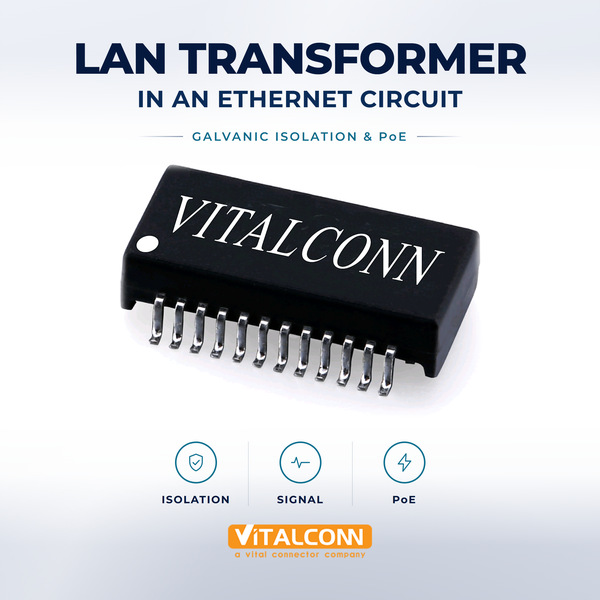
    LAN Transformer: The Component Every Ethernet Link Legally Requires Every twisted-pair Ethernet connection contains a LAN transformer, and the reason is safety as much as signal quality. The IEEE 802.3 standard requires galvanic isolation between the medium (the cable, which may run between buildings and pick up large ground potential differences) and the equipment. An Ethernet transformer provides that isolation — 1500 Vrms minimum — while simultaneously coupling the differential data signal across the barrier, rejecting common-mode noise, and carrying Power over Ethernet through its center taps. It is one of the few components whose absence is not a performance risk but a compliance violation. In practice, the LAN transformer module you buy is several transformers in one package: one per differential pair (two for 10/100BASE-T, four for 1000BASE-T and faster), often with common-mode chokes added on the line side, and the termination network either integrated or left discrete depending on the product family. Function Why It Exists Spec That Defines It Galvanic isolation Safety across ground potential differences 1500 Vrms hi-pot (IEC 60950/62368) Signal coupling Pass the differential data across the barrier Insertion loss, return loss bandwidth Common-mode rejection Block noise common to both conductors CMRR (dB over frequency) PoE power path Carry DC via center taps Center-tap current rating Termination Match line impedance, absorb reflections Turns ratio, Bob Smith network How the Transformer Couples Data While Blocking Ground The transformer exploits a simple physical fact: a changing magnetic field crosses an isolation barrier, but a DC potential cannot. The PHY drives one winding; the magnetic flux couples to the second winding on the line side; the differential data appears across the cable pair with no galvanic connection between the two circuits. The turns ratio — commonly 1:1 in modern designs where the PHY contains the line drivers — sets the impedance transformation and, with the termination network, the line matching. A changing common-mode voltage, however, would ideally create equal flux cancellation in a perfect transformer and never cross the barrier. Real transformers couple some common-mode energy, which is why the common-mode choke is added in series: its windings are arranged so differential current cancels its field (no loss to the signal) while common-mode current adds its field (high impedance to noise). Together the transformer and choke define the noise floor of the entire link. The Center Taps: Where PoE Lives Each transformer winding has a center tap, and Power over Ethernet uses them as the DC injection and extraction points. Because DC flows into both ends of a winding equally, the magnetic fields cancel and the power passes without saturating the core — the elegant trick that lets power and data share the same pairs. In 802.3af/at, power rides on the same two pairs as data (Mode A) or the spare pairs (Mode B); in 802.3bt, all four pairs carry power. The center-tap wire gauge and current rating set the PoE ceiling. A transformer rated for 802.3bt Type 4 must carry nearly 1 A per pair set continuously and survive inrush and short-circuit events. This is the single most common specification error we see in PoE designs: a module selected for its signal bandwidth, then discovered to have center taps rated only for af-class power. Our PoE RJ45 connector guide covers the full power-side checklist. Key Parameters on a LAN Transformer Datasheet Parameter Meaning What Good Looks Like Insertion loss Signal energy lost through the transformer Flat and low across the band of your data rate Return loss Impedance match quality Meets the requirement for your Ethernet class with margin Hi-pot / isolation Dielectric strength of the barrier 1500 Vrms minimum; 2250 Vrms for demanding applications CMRR Common-mode rejection capability High dB, sustained at the top of the band Center-tap current PoE DC capability Rated at or above your PoE class, continuous Operating temperature Ambient range with full ratings -40 °C to +85 °C for industrial designs Discrete Module or Integrated in the Jack? The LAN transformer can be a discrete module next to a plain jack, or it can live inside a magnetic RJ45 jack. The electrical function is identical; the difference is board area, layout control, and sourcing flexibility. The trade-offs are covered in full in our comparison. What belongs in that decision but is often forgotten: the discrete LAN transformer module must be placed between the PHY and the jack in a straight line, with the Bob Smith termination ground island under control — the layout is part of the component's performance. Where LAN Transformer Selection Goes Wrong Selecting bandwidth for the data rate but ignoring return-loss margin, then failing crosstalk certification on the finished board. Rating center taps below the actual PoE class and discovering thermal rise only during full-load testing. Mixing termination styles (integrated vs discrete Bob Smith network) between the jack and transformer, double-terminating the line. Placing the module far from the jack with routing detours, destroying the return loss the datasheet promised. Ignoring the core's saturation behavior under PoE fault conditions, leading to intermittent link loss in the field. For the deeper engineering path — turns ratio selection, CMRR physics, and Hi-Pot qualification — continue with our LAN transformer selection guide and the Ultimate Guide to LAN transformers. LAN Transformer Production Testing: The Four Measurements That Matter Every LAN transformer that leaves a production line is tested, and the same four measurements translate directly to design verification on your own boards. The first is turns-ratio and OCL (open-circuit inductance), which confirms the core material and winding are intact; OCL that drifts low after temperature aging signals a core heading toward saturation at signal peaks. The second is insertion loss across the band, which catches winding resistance and stray capacitance problems that would otherwise appear as link margin erosion at full cable length. The third measurement is return loss, and it is the one that most often separates a marginal design from a robust one. Return loss at the transformer reflects how well the winding geometry matches the 100-ohm differential impedance of the cable plant. A transformer with marginal return loss passes short bench links and then fails certification on 100-meter channels, because reflections that are invisible across two meters of cable combine destructively across a full run. The fourth is hipot (dielectric withstand) between the windings and the core, which verifies the isolation barrier that gives the transformer its safety function in the first place. OCL at rated bias current, not just at zero bias, if the design carries PoE through the center taps Insertion loss and return loss swept across the full band of the intended PHY, including the 2.5G and 5G bands if the design supports them Hipot at the isolation voltage the application requires, with the failure mode documented as it determines creepage and clearance needs Crosstalk between transformer channels on multi-port magjacks, measured port to port, since ganged magnetics share a magnetic and mechanical environment When a link fails intermittently in the field, the transformer is rarely the first suspect, which is exactly why these measurements belong in design verification rather than only in the supplier's outgoing test. Asking a magnetics supplier for measurement data at your specific operating conditions, rather than only the datasheet limits at 25 degrees Celsius, is one of the cheapest forms of risk reduction available in Ethernet design. Frequently Asked Questions (FAQ) What does a LAN transformer do in an Ethernet circuit? A LAN transformer provides the galvanic isolation required by IEEE 802.3, couples the differential data signal across the isolation barrier, rejects common-mode noise, and carries Power over Ethernet through its center taps. Why does Ethernet require a transformer at all? The isolation requirement exists for safety: Ethernet cables can run between equipment at different ground potentials, and the 1500 Vrms isolation barrier protects equipment and users. Without it, the design is non-compliant regardless of performance. What is the turns ratio of a LAN transformer? Modern LAN transformers typically use a 1:1 turns ratio because current PHYs integrate the line drivers. The ratio historically matched specific PHY driver architectures; always follow the PHY datasheet's magnetics recommendation. How does PoE pass through a LAN transformer? PoE injects DC into the transformer center taps. The current flows symmetrically into both ends of each winding, so the magnetic fields cancel and the core does not saturate — power crosses the isolation barrier without disturbing the data signal. What is the difference between a LAN transformer and a common-mode choke? The transformer couples the differential signal across the isolation barrier; the common-mode choke blocks noise that is common to both conductors. Many LAN transformer modules integrate both — one transformer and one choke per pair. Need the Right LAN Transformer for Your Application? Get samples, full datasheets, and FAE support from VITALCONN's LAN transformer product line. Explore LAN Transformers Request Samples
    Read More
  • SFP Cage EMI Shielding: EMI Fingers vs Full Shielding
    SFP Cage EMI Shielding: EMI Fingers vs Full Shielding
    Sep 14, 2026
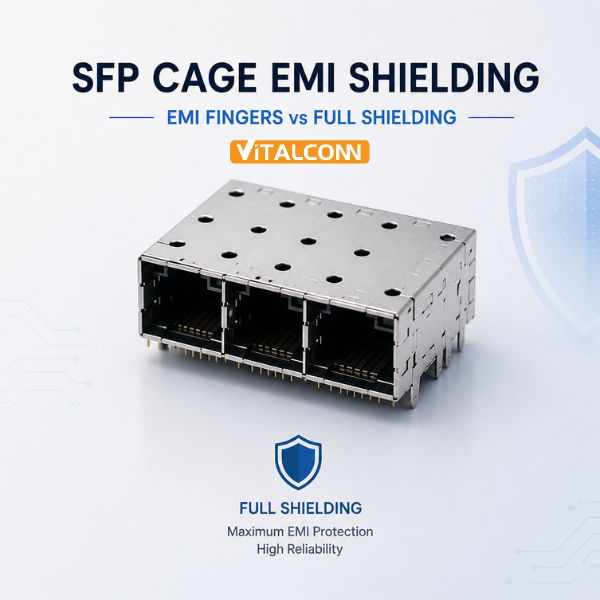
    SFP Cage EMI Shielding: Where the Leaks Actually Are SFP ports are the most common radiated-emissions failure point on modern networking boards, and SFP cage EMI shielding is the discipline that prevents it. An SFP cage is a sheet-metal enclosure with two unavoidable apertures: the front bezel opening where the module sticks out, and the interface between the module's own shell and the cage's inner walls. High-speed serial data at 10 Gbps and beyond leaks through both unless the cage's shielding features close them. The industry offers two broad approaches — discrete SFP EMI fingers that spring against the module shell, and fuller SFP cage shielding structures that add gaskets and conductive elastomers around the apertures. Choosing between them is a cost-versus-frequency decision. Aspect Spring Fingers Full Shielding (Fingers + Gasket) Mechanism Metal spring contact to module shell Continuous conductive path around aperture Effective frequency Good up to multi-GHz when contact pitch is fine Extends margin at the highest frequencies Wear behavior Fingers fatigue over module cycles Gasket compression set over time Cost Lower — stamped features only Higher — added gasket material and assembly Bezel tolerance Standard cutout class Tighter cutout tolerance required Typical use 1G–10G commercial equipment 25G+, dense panels, certification-critical products How SFP EMI Fingers Work — and Where They Stop Working Spring fingers are stamped cantilevers on the cage's top, bottom, and side walls. When a module slides in, the fingers deflect and press against the module's metal shell, creating many parallel contact points. Electrically, each finger is a short connection between module shell and cage; mechanically, the set of fingers behaves like a distributed shield seam. The rule of thumb from shielding theory applies directly: seams behave as apertures, and aperture leakage grows with frequency. Finger pitch and contact force determine the effective seam quality. Fingers stop working in three ways. Contact resistance rises when the module shell's plating oxidizes or when fingers lose force after many insertion cycles. Slots for the module's latch and bezel features interrupt the finger line and create intentional gaps that leak. And at 25G/50G data rates, the harmonic energy in the tens-of-GHz region from fast SerDes edges finds the residual apertures that were harmless at 10G. That is when the full-shielding approach earns its premium. Full Shielding: Gaskets and Conductive Elastomers Full-shielding cages keep the finger concept for the module interface but add a conductive gasket — typically a filled elastomer or a wire-mesh strip — running around the bezel opening. The gasket closes the gap between cage face and panel cutout, turning the front-panel seam into a continuous conductive joint. For cages that sit at the panel, this one feature often moves a marginal design ten decibels, which is the difference between a passed and a failed scan at the test lab. Gaskets bring obligations. They need a defined compression range: too little and the joint is resistive, too much and the gasket cold-flows or the bezel bows. The panel cutout must hold a tighter tolerance class, and the mounting screws or tab pressure must deliver the specified compression uniformly. In return, the shielding performance is more predictable and more stable over temperature cycling than bare metal-to-metal seams. The Grounding Chain: Module to Cage to Board to Panel Shielding features only work inside a complete grounding chain. The module shell connects to the cage through fingers or gasket; the cage connects to the PCB through its mounting legs; the PCB connects to the panel through bezel features; the panel is chassis. Every joint in that chain must be low-impedance at the frequencies of concern — which means multiple parallel contacts, not one symbolic screw. When debugging an emissions failure, measure the impedance of each joint in the chain before changing anything else; our experience is that the failed link is usually a panel interface that was assumed, not designed. Use all available mounting legs for ground — skipping legs to save pads breaks the shield continuity. Tie the cage ground region to chassis at defined points; avoid letting shield current wander through logic ground. Verify bezel cutout tolerance class against the cage drawing; gaskets only compress correctly in-spec. On ganged cages, check that port-to-port internal partitions exist if adjacent-port crosstalk appears in the scan. Cage Selection by Data Rate and Panel Density Design Situation Recommended Shielding Approach 1G/10G commercial switch, few ports Standard spring-finger cage 10G dense panel (8+ ports adjacent) Finger cage with EMI-enhanced features 25G/50G line cards Full shielding with gasket Products with tight certification margin Full shielding + panel EMC review Lab/prototype boards Finger cage; defer gasket until scan data exists Shielding never works in isolation from the rest of the connector system. The cage's mounting method defines the ground joints (see SFP cage mounting for SMT vs press-fit implications), and the mechanical envelope constrains what gasket geometry fits (see SFP cage dimensions and PCB footprint). New to the product family? The Ultimate Guide to SFP cage connectors is the right starting point. Aging and Wear: How EMI Fingers and Gaskets Degrade Over Service Life EMI shielding performance is usually specified and measured on a fresh assembly, but SFP ports live in a service life measured in years and hundreds of module swaps. Spring fingers are stamped and formed to a specific contact force, and every insertion cycles them toward their elastic limit. A cage that passed emissions testing on day one can develop intermittent shield contact after a few hundred module changes, especially when technicians insert modules at a slight angle. Full-shielding gaskets age differently: conductive elastomers rely on embedded conductive particles in a compressible matrix, and both over-compression (permanent set) and under-compression (insufficient contact pressure) reduce their effectiveness over time. Temperature cycling is the quiet multiplier. Every thermal cycle flexes fingers and gaskets as the panel, cage, and module expand at different rates. Industrial equipment that lives between cold nights and hot days effectively runs an accelerated aging test on its own EMI hardware. Humidity adds corrosion risk at the contact interface, particularly on non-noble platings, which is why contact plating specification belongs in the cage selection discussion and not only in the connector's electrical specification. Specify minimum contact force per finger after the rated number of insertion cycles, not only when new For gasketed designs, ask for compression-set data at the operating temperature range, not just room-temperature force curves Include module re-insertion in the maintenance procedure: fully seat the module until the latch closes, every time When a port must remain empty long-term, use a conductive blanking module so the aperture is shielded and the fingers keep their shape The practical screening test we recommend to customers combines aging and shielding in one pass: perform the rated number of module insertion cycles, run a thermal cycle representative of the deployment environment, then repeat the near-field scan of the port aperture. A shielding system that survives that sequence will hold up in the field; one that degrades shows it here, while the fix is still a drawing change rather than a recall. Frequently Asked Questions (FAQ) What is the difference between EMI fingers and full shielding on SFP cages? EMI fingers are stamped spring contacts that press against the module shell to close the shield path. Full shielding adds conductive gaskets around the bezel aperture for a continuous joint, extending performance at higher frequencies and denser panels. Why do SFP ports fail radiated emissions tests? The SFP interface has unavoidable apertures: the bezel opening and the module-to-cage gap. High-speed SerDes harmonics leak through these openings unless fingers, gaskets, and the full grounding chain to the panel are all designed and assembled correctly. How many module insertions do SFP EMI fingers survive? Finger fatigue depends on the cage design and module shell plating. Reputable cage families specify contact force retention over thousands of insertion cycles; verify the rating in the datasheet for serviceable equipment. Do SFP cage gaskets require special panel cutouts? Yes. Gaskets need a defined compression range, so the bezel cutout must hold a tighter tolerance class than a bare-finger cage. Follow the cage drawing's recommended cutout and mounting pressure exactly. Does the cage mounting style affect EMI shielding? Yes. The mounting legs are part of the shield ground path. Press-fit legs give gas-tight metal contact, while SMT legs ground through solder joints — both work when all legs are used and grounded, and both fail when legs are skipped. Need the Right SFP Cage Connector for Your Application? Get samples, full datasheets, and FAE support from VITALCONN's SFP cage connector product line. Explore SFP Cage Connectors Request Samples
    Read More
  • RJ45 Shielded vs Unshielded: Which Connector Is Better?
    RJ45 Shielded vs Unshielded: Which Connector Is Better?
    Sep 11, 2026
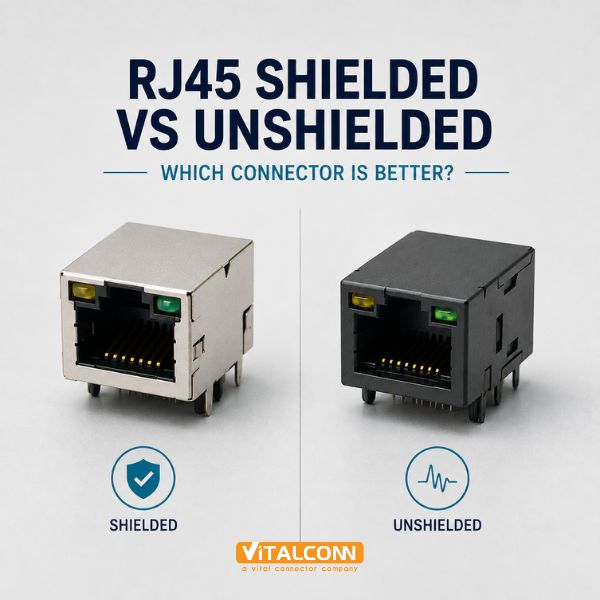
    Shielded RJ45 vs Unshielded RJ45: The Short Answer A shielded RJ45 connector wraps the contact block in a metal housing — usually nickel-plated steel — that ties to the cable shield and to chassis ground through grounding tabs. An unshielded RJ45 is a plastic-bodied jack with no shield structure at all. Neither is universally better: the shielded part wins wherever electromagnetic interference is a design constraint, and the unshielded part wins wherever cost and simplicity dominate and the signal environment is clean. The honest answer is that the connector choice follows your cabling and environment decisions, not the other way around. This guide explains what the shield actually does in an RJ45 interface, when RJ45 EMI shielding changes a compliance result, what grounding obligations a shielded jack brings, and how to choose per application class. Attribute Shielded RJ45 Unshielded RJ45 Housing Metal shield around contacts Plastic body EMI at the interface Controlled — shield continues the cable's screen Depends on layout and magnetics alone ESD entry path Discharged to shield before reaching contacts Contacts exposed at the interface Cost Higher Lower Grounding requirement Must tie to chassis at defined point(s) None Typical use Industrial, 10G, medical, noisy environments Office, consumer, short runs What the Shield on an RJ45 Connector Actually Does Ethernet over twisted pair already has a defense against interference: differential signaling. Interference couples onto both conductors of a pair nearly equally and is subtracted at the receiver. The transformer magnetics add common-mode rejection on top. So in a benign environment, an unshielded jack plus good layout passes EMC comfortably — that is why hundreds of millions of office devices ship with plastic jacks. The shield earns its cost in three situations. First, when the environment couples interference faster than the differential pair can reject it: near motor drives, VFD cables, RF transmitters, or inside a metal cabinet full of switching power supplies. Second, when the device must not radiate: a 10GBASE-T interface radiates meaningfully at its 800 MHz spectral region, and the shield contains emissions at the connector aperture — historically the largest leak point of the whole channel. Third, when cable shields exist for other reasons (industrial Ethernet standards often mandate shielded cabling), leaving the shield unterminated at the jack defeats the whole system. Grounding: The Obligation That Comes With the Shield A shielded connector is only as good as its ground. The metal housing must make a low-impedance connection to chassis — through grounding tabs that press against the panel cutout, solder legs tied to a chassis-ground region, or both. A shielded jack floating without a ground reference can be worse than no shield: it re-radiates what it collects. This is why shielded jacks specify tab geometry, plating, and the panel cutout tolerance that guarantees tab contact pressure. Terminate the cable shield and the jack shield to chassis at one defined point; avoid loops through multiple ground paths. Keep the chassis-ground region separate from logic ground except at the intentional tie point. For panel-mounted jacks, verify the tab-to-panel contact survives the specified number of cable insertions without losing pressure. At 10G, prefer jacks with shield structures tuned in the datasheet for the 500 MHz–800 MHz range, not generic metal housings. Performance Comparison by Application Application Recommendation Reason Office PC / consumer router Unshielded Clean environment, lowest cost Industrial Ethernet (PROFINET, EtherNet/IP) Shielded Noisy plants, mandated shielded cabling 10GBASE-T networking equipment Shielded Radiated emissions control at connector aperture Medical / test equipment Shielded Low-emission and immunity requirements Home/IoT devices, short cable runs Unshielded No interference source, cost-sensitive Shielded RJ45 Connector Variants Worth Knowing Within the shielded family there are gradations. Some jacks shield only the housing (the metal box around the contact block); others extend the shield into internal partitions between ports on ganged parts, which matters when eight adjacent ports must not crosstalk into each other. EMI-enhanced variants add spring features that improve contact to the panel. If your design uses integrated magnetics, the magnetic module itself contributes shielding — our magnetic RJ45 vs non-magnetic RJ45 article explains that interaction. Ganged port configurations interact with shielding too: a continuous shield frame across a 1×N part is one EMI structure, and a 2×N stacked part doubles the height of that structure. The trade-offs are covered in our RJ45 connector types overview of 1×1, 1×N and 2×N housings. The Cost Question, Answered Honestly The shielded part costs more — typically a noticeable percentage premium over the same jack unshielded — and it brings assembly obligations: the grounding tabs must survive the SMT process, and the panel cutout must hold tolerance. In products that will never see interference and never face an EMC failure, that money is wasted. But an EMC failure at the end of development costs far more than the connector delta across the whole BOM, so when in doubt — or when the product goes into unknown customer environments — engineers at our side of the table lean shielded. For the broader selection checklist — plating, durability, magnetics, PoE ratings — see the RJ45 connector buying guide. Field Failures: Where the Shielded RJ45 Connector Decision Breaks The shielded versus unshielded RJ45 decision is often made correctly on paper and then undone in the field. The most common failure is an incomplete grounding chain: a shielded RJ45 connector with its metal shell properly soldered to the board ground, connected to shielded cabling, but with the far end of the channel left floating or grounded through a different path. A shield that grounds at only one end or grounds at two points with different potentials becomes an antenna for common-mode noise, and the link performs worse than an unshielded one would have in the same environment. The second classic failure is mixing components across categories. A shielded Category 6A jack terminated on Category 5e patch cable, or a shielded jack whose shield is never bonded to the cable's drain wire, delivers shield presence without shield function. Alien crosstalk between bundled cables, which is exactly what shielding is meant to suppress in dense switch panels, reappears as soon as any segment of the channel drops its shield continuity. Verify shield-to-ground DC resistance end to end during commissioning, not just at the connector Bond the cable drain wire to the jack shield with the contact area the connector datasheet specifies, not with a hand-wrapped turn of braid Keep shielded and unshielded segments out of the same channel; the channel behaves like its weakest link In high-noise plants, re-check the grounding after service work, because moved patch cables are the most common way a bonded shield quietly detaches From a connector manufacturer's perspective, the honest summary is this: shielded RJ45 connectors reward discipline and punish improvisation. Where the installation team controls every component and termination from the switch port to the far jack, shielding delivers measurable margin in electrically noisy environments. Where cabling is installed by third parties or field-modified over years, a well-executed unshielded channel with proper Category rating often delivers better real-world uptime than a shielded channel with one broken ground somewhere in the middle. Frequently Asked Questions (FAQ) What is the difference between shielded and unshielded RJ45 connectors? A shielded RJ45 has a metal housing connected to the cable shield and chassis ground, controlling EMI at the connector aperture. An unshielded RJ45 has a plastic body and relies on differential signaling and layout for noise immunity. Do I need shielded RJ45 connectors for gigabit Ethernet? Not necessarily. Gigabit Ethernet works well with unshielded connectors in clean environments. Shielded connectors are recommended in electrically noisy environments, for industrial Ethernet standards that mandate shielded cabling, and where EMC compliance margin is tight. Does a shielded RJ45 connector need to be grounded? Yes. The shield must connect to chassis ground through its grounding tabs or legs. A floating shield provides little benefit and can re-radiate collected interference. Is a shielded RJ45 connector better for 10GBASE-T? Generally yes. 10GBASE-T occupies bandwidth up to 400–500 MHz where connector apertures leak and radiate. Shielded jacks with tuned shield structures are strongly recommended for 10G equipment. Why do industrial Ethernet networks use shielded connectors? Industrial environments couple strong interference from motors and drives, and standards such as PROFINET and EtherNet/IP require shielded cabling whose screen must be continued through the connector to chassis ground. Need the Right RJ45 Connector for Your Application? Get samples, full datasheets, and FAE support from VITALCONN's RJ45 connector product line. Explore RJ45 Connectors Cross-Reference Tool
    Read More
  • USB-C Pinout Explained: What Do CC1 and CC2 Pins Do?
    USB-C Pinout Explained: What Do CC1 and CC2 Pins Do?
    Sep 09, 2026
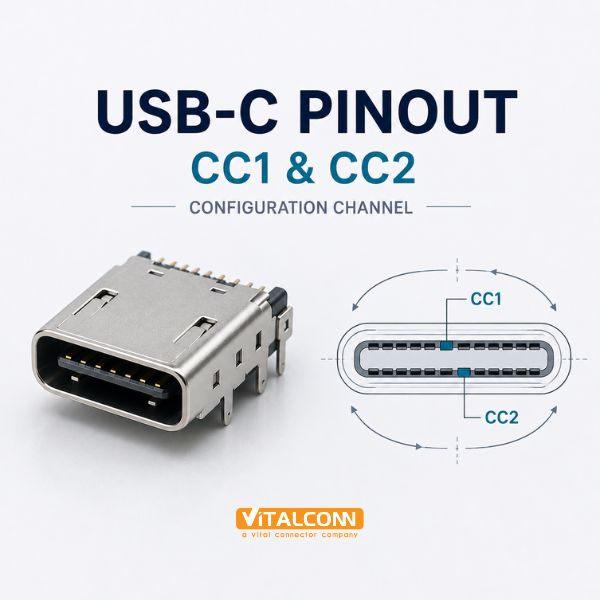
    USB-C CC Pins: The Two Wires That Run the Show The USB-C CC pins — CC1 and CC2, located on positions A5 and B5 of the connector — are the intelligence channel of every USB Type-C link. While the power and high-speed lanes move the payload, CC1 and CC2 detect whether anything is attached, establish the direction of the connection, advertise how much current the source can deliver, carry USB Power Delivery messages, and power active cables. Understanding the USB-C pinout therefore means understanding these two pins first. The reason there are two CC pins is the flippable connector. A full-featured USB-C cable contains only one CC wire, and the cable's internal wiring determines which of the two receptacle pins it lands on. When you plug in the connector one way, the far side sees activity on CC1; flip it, and the signal moves to CC2. Orientation detection is simply the receiver noticing which pin carries the signal. Pin Group Positions Function VBUS A4, A9, B4, B9 Power rail (5 V default, up to 48 V with PD) GND A1, A12, B1, B12 Ground return CC1 / CC2 A5 / B5 Configuration Channel: attach detect, orientation, power advertise, PD SBU1 / SBU2 A8 / B8 Sideband use (DisplayPort AUX, audio) TX/RX pairs A2/A3, A10/A11, B2/B3, B10/B11 SuperSpeed differential lanes D+/D− A6/A7, B6/B7 USB 2.0 data (both sides wired in cable) How CC1 and CC2 Detect Attach and Orientation A USB-C source (DFP) presents a pull-up resistor Rp on both CC pins; a sink (UFP) presents a pull-down Rd (5.1 kΩ) on both CC pins. With nothing connected, both CC lines at the source sit at their Rp-determined voltage. When a cable is plugged in, exactly one of the source's CC lines sees its voltage divider change because that line now reaches a sink's Rd through the cable's single CC wire. The other CC line stays open — or carries VCONN when the cable is active. This one-wire arrangement elegantly solves three problems at once: attachment (a divider changed state), orientation (which pin changed tells you the flip state), and current advertisement (the Rp value encodes the default current capability before any PD negotiation). The USB-C CC1 CC2 pair is, in effect, a two-pin state machine. Rp, Rd, and Current Advertisement Before Power Delivery negotiation even starts, the resistor values set the baseline power contract. The source selects one of three Rp pull-up values — presenting default USB current, 1.5 A, or 3.0 A — and the sink reads the resulting CC voltage to know how much current it may draw without any digital communication. A dead-battery phone can safely draw charge moments after plug-in because this analog contract needs no firmware. Rp Pull-Up (to 5 V) Advertised Current Typical Source 56 kΩ Default USB (500 mA / 900 mA) Legacy hosts, hubs 22 kΩ 1.5 A Chargers, powered hubs 10 kΩ 3.0 A Full-size chargers, docks Note the asymmetry of roles: sources pull up, sinks pull down. A port that must act as both (a DRP, dual-role port) switches between Rp and Rd repeatedly until a partner locks on. If you are designing a sink, remember that omitting or mis-valuing Rd is a classic reason a device fails to charge from a compliant source. USB Power Delivery Rides on the CC Line USB PD communication uses the same CC wire that just did attach detection, using BMC (biphase mark coding) signaling at the CC pin. All PD messages — voltage requests, current limits, data role swaps, and the higher-power contracts up to 240 W (48 V / 5 A) under PD 3.1 EPR — travel over this single wire in half-duplex. That is why CC trace layout deserves the same care as a clock line: keep it short, route it away from the SuperSpeed pairs, and place the PD controller close to the connector. The other CC pin is not idle during PD communication. In systems with powered or active cables, the source supplies VCONN (traditionally around 5 V, limited current) on the CC pin that is not carrying the communication — powering the electronMarked cable's chip that reports its capabilities. VCONN is why active Thunderbolt and 5 A-rated cables cost more: there is a chip inside drinking from that line. Accessory and Audio Modes Detected Through CC CC pins also carry the accessory vocabulary. A simple analog headset adapter presents Ra (approximately 1 kΩ) on both CC pins, which tells the phone to enter Audio Accessory Mode and route analog audio to the SBU pins. Debug accessories announce themselves with different CC combinations. These modes matter to connector selection because they assume the receptacle's CC pins reach your controller — a hard-wired Rp-only design loses them. Design Implications for the CC Pins Place the CC/PD controller as close to the receptacle as practical; the CC trace is a communication line, not a static net. Provide ESD protection on CC1 and CC2 — they are exposed to every plug-in event and to charged cables. Never tie CC1 and CC2 together; that defeats orientation detection and can confuse PD negotiation. For sink designs, fit 5.1 kΩ Rd pull-downs on both CC pins (or use a controller that integrates them). For designs that use active cables, budget a VCONN switch and current limit on the unused CC pin. For the connector itself — pin-count variants, mounting styles, and mid-mount options — see our USB-C connector types overview and the Ultimate Guide to USB Type-C connectors. If you are deciding between 16-pin and 24-pin parts, the trade-off analysis in our connector types article covers which applications can drop the SuperSpeed lanes and which cannot. Bench Debugging of the CC Pins: Failure Symptoms and Measurements Most USB-C attach problems come down to the CC pins, and they show up on the bench in recognizable patterns. A device that does nothing at all when a cable is plugged in usually has both CC pins floating or a missing 5.1 kOhm Rd resistor on a sink. A device that only works in one orientation has a single-sided CC failure: one of CC1 or CC2 is open, so attach is only detected when the cable is flipped to the working line. A device that negotiates 5 V but never reaches higher voltages usually has an issue in the PD communication layer that rides on the same CC line rather than in the physical attach logic. The first measurement on a failing board is DC voltage on both CC pins at the connector, one orientation at a time. On a sink facing a 3 A source advertisement, the pulled-up CC line reads roughly 0.85 to 1.2 V depending on Rp value, while the unused CC line should show no pull-up activity. Compare CC1 and CC2 readings across both cable orientations; a healthy design shows mirror-image behavior. A line that reads 5 V means the pull-up is being driven straight from VBUS and something is miswired; a line that reads 0 V on both orientations with a known-good source suggests an open solder joint on that contact. Always test with both a passive cable and an e-marked active cable; active cables can mask or mimic CC faults Measure with the cable flipped and label readings by orientation, not by time, to keep the data usable Check the 5.1 kOhm Rd resistors with power off: wrong value or wrong placement is the single most common build error Scope the CC line during PD negotiation: the BMC bursts are small-signal on top of the DC level and reveal whether negotiation even starts One habit worth adopting from module-level debug: keep a known-good breakout board with accessible CC test points on every bench. Probing a populated connector directly risks shorting adjacent pins with the probe tip, and the small contact pitch turns a measurement into a damage event. The breakout board pays for itself the first time it distinguishes a broken cable from a broken design in under a minute. Frequently Asked Questions (FAQ) What do CC1 and CC2 do in USB-C? CC1 and CC2 are the Configuration Channel pins. They detect attach and cable orientation, advertise the source's default current capability through Rp/Rd resistor values, carry USB Power Delivery communication, and supply VCONN to active cables. Why does USB-C have two CC pins but cables have only one CC wire? The flippable connector means the cable's single CC wire lands on CC1 in one orientation and CC2 in the other. Two receptacle pins let the host determine orientation by observing which line becomes active. What resistor values are used on CC pins? Sinks use a 5.1 kΩ pull-down (Rd) on both CC pins. Sources use a pull-up (Rp) whose value — 56 kΩ, 22 kΩ, or 10 kΩ to 5 V — advertises default, 1.5 A, or 3.0 A current capability. What is VCONN in USB-C? VCONN is a small power supply, typically around 5 V, delivered on the CC pin that is not carrying communication. It powers the chip inside active or electronically marked cables, such as Thunderbolt and 5 A-rated cables. Does USB Power Delivery use the CC pins? Yes. USB PD messages are sent as BMC signaling on the CC wire that completed attach detection. All PD power contracts up to 240 W (PD 3.1 EPR) are negotiated over this single line. Need the Right USB-C Connector for Your Application? Get samples, full datasheets, and FAE support from VITALCONN's USB Type-C connector product line. Explore USB-C Connectors Request Samples
    Read More
  • SFP Cage Dimensions and PCB Footprint: What Engineers Need to Know
    SFP Cage Dimensions and PCB Footprint: What Engineers Need to Know
    Sep 07, 2026
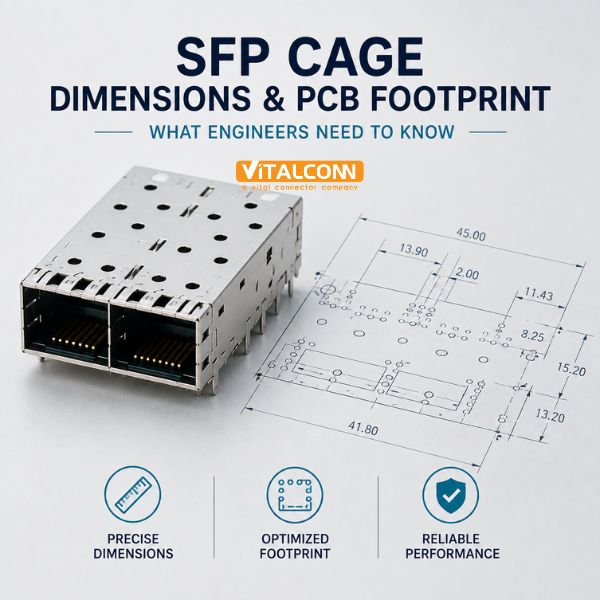
    SFP Cage Dimensions: Start From the Module, Not the Connector Every SFP cage dimensions question begins with the pluggable module that will live inside it. SFP and SFP+ modules follow the multi-source agreement (MSA) drawings — SFF-8074/SFF-8432 for the module body — so the cage's inside profile, module insertion depth, and connector engagement zone are fixed by the MSA, not by the cage vendor. What vendors differ in is everything around that fixed core: cage length, EMI features, heatsink options, port count, and the SFP cage footprint that lands on your PCB. This is why two cages that accept the same modules can have completely different board consequences. The section below breaks down the dimension variables that actually change your layout, then covers the footprint and keep-out rules that decide whether the first prototype board assembles cleanly. The Dimension Variables That Matter to Your Board Cage length is the first variable. The module body itself occupies a fixed depth; the cage must fully contain that depth plus the bezel feature that presents the port at the front panel. Longer cages add depth above the board — which matters in 1U enclosures where the lid clearance is measured in millimeters. Extended-length cages move the module's hot end further from the board, sometimes helping airflow, but consuming enclosure depth. Dimension Variable What It Changes Design Impact Cage overall length Enclosure depth, module support 1U chassis clearance, front-panel protrusion Port count (1×1, 1×2, 1×4…) Facepanel width occupied Port pitch must match panel standard Connector vs cage offset Where the 20-pin connector sits Footprint position relative to panel line Heatsink provision Crown surface, side walls Thermal path for the module EMI features Finger count, gasket type Bezel cutout tolerance class Mounting leg geometry SMT / press-fit / TH pattern Pad pattern and anchor placement Port pitch deserves special attention for ganged cages. A 1×4 cage presents four module slots at a fixed center-to-center spacing; that spacing must match your facepanel cutout pattern and your routing escape plan. Because the high-speed differential pairs from each connector must reach their PHY or switch die with matched lengths, the ganged part's fixed pitch propagates directly into your length-matching budget. SFP Cage Footprint: Reading the Vendor Drawing Correctly The SFP cage footprint is more than a pad pattern. A complete footprint package includes the 20-pin connector contact pad layout, the mounting leg pads, the mechanical keep-out where no components may sit (the cage body overhangs the board), and the bezel cutout drawing for the front panel. The most common first-spin error we see is treating the mechanical keep-out as advisory — the cage's sheet-metal skirt extends over the board beyond the pads, and any component placed in that shadow will collide at assembly. Verify the connector pad layout against the specific SFP (SFF-8432) or SFP+ (SFF-8431) contact assignment — do not assume a drawing from a different part family transfers. Respect the full mechanical keep-out including the cage skirt and any EMI finger features that dip toward the board. Check the recommended panel cutout and its tolerance class; EMI gaskets and spring fingers only seal when the cutout is within the specified band. For press-fit cages, confirm hole diameters, plating, and annular rings against the drawing before releasing the PCB fab data. SFP Cage PCB Layout Rules for Signal and Power Good SFP cage PCB layout practice keeps the high-speed pairs short and symmetric. The 20-pin interface carries differential pairs for TX and RX, plus single-ended control signals (TX_FAULT, TX_DISABLE, RX_LOS, MOD_ABS, rate select) and power (3.3 V). Route the differential pairs as coupled 100 Ω lines with minimal via count, keep them away from the cage wall to avoid shield-coupled crosstalk, and return every layer change with an adjacent ground via. Ground strategy connects the footprint to the EMI system. The connector's shield legs and the cage's mounting legs should tie to a solid ground region that is stitched to chassis at controlled points — not scattered vias that create circulating currents. The 3.3 V power feed wants local decoupling near the connector, sized for hot-plug inrush, because plugging a module is an uncontrolled power event on your rail. Thermal Envelope: Dimensions With a Temperature Attached Cage dimensions and thermal design are inseparable. The module dissipates its heat into the cage structure — mainly through the crown spring fingers that press against the module's top surface — and the heat then crosses the cage's mounting interface into the board and the panel. When you compare cage dimensions, compare them at equal thermal intent: a bare cage and a cage with an integrated or clip-on heatsink have different depth and height envelopes but also different module temperature outcomes. Our companion articles cover this in depth: the SFP cage heatsink guide for heatsink selection, and the thermal management article for airflow-first designs. For the electrical shielding side of the same mechanical features, see SFP cage EMI shielding. Verification Checklist Before Releasing the Board Cross-check the cage outline in your PCB CAD against the vendor's 2D drawing in both plan and elevation views. Confirm the front-panel cutout, its tolerance, and the gap to adjacent RJ45 or SFP ports on the same panel. Walk the mechanical keep-out component by component — connectors, LEDs, test points, and fiducials are the usual victims. Review the escape routing of the first differential pair on the endmost port of a ganged cage; if it cannot escape, no port can. Re-run the thermal estimate with the chosen cage's heat path, at worst-case module power, in the real enclosure airflow. For mixed RJ45/SFP panels, do the combined floorplan — our guides on RJ45 port configurations and on SFP cage vs SFP+ differences cover the adjacent constraints. Cage Height and Bezel Options: SFP Cage Dimensions Nobody Specs Early The length and width of an SFP cage come from the module, but the height and the bezel are chosen by the designer, and they are the two dimensions most often changed after the first mechanical mock-up. Cages are available in standard nose heights and low-profile heights; the low-profile variants save vertical space but reduce the volume available for EMI gaskets and for the spring fingers that wipe the module. If the product has a tight 1U chassis, verify that the low-profile cage still accepts the tallest module on the qualified list, not just the one shipped with the evaluation kit. The bezel is the face of the cage at the panel: single-port, duplex (two ports in one stamped frame), or ganged multi-port frames that span 4, 8, or 12 ports. Duplex and ganged frames hold tighter port-to-port pitch than individually soldered cages, which matters when the front panel is laser-cut to a fixed pattern. They also carry fewer separate grounding paths to the panel, which simplifies the EMI bonding strategy. The cost is that a bent corner on a ganged frame affects multiple ports, so handling instructions for the assembly line should be written accordingly. Top-entry versus bottom-entry cages change which side of the board the module slides in from, and therefore which side needs clearance above the connector footprint Nose height must clear the panel thickness plus any gasket compression, typically 0.5 to 1.0 mm Duplex and ganged frames improve pitch accuracy; single cages are easier to rework one port at a time Pull tabs and bail latches on modules need clearance behind the panel opening, not just in front of it One practical check we run before freezing the mechanical drawing: slide the longest qualified module into the cage on the actual board, inside the actual chassis, and connect a cable with the latch closed. Module bodies vary by a few millimeters between vendors, and a drawing that fits the shortest module can still block a cable bend radius. Discovering this at the mock-up stage costs an afternoon; discovering it at the certification lab costs a schedule. Frequently Asked Questions (FAQ) Are SFP cage dimensions standardized? The internal profile that accepts the module is standardized by the SFP MSA specifications (SFF-8074/SFF-8432, SFF-8431 for SFP+), but cage outer dimensions, length, EMI features, and heatsink options vary by manufacturer and part family. What is the difference between cage dimensions and the PCB footprint? Cage dimensions describe the mechanical envelope of the connector assembly, while the PCB footprint defines the pads, keep-out zones, and panel cutout that the part requires on the board. Both come from the vendor drawing and must be used together. What is the keep-out area on an SFP cage footprint? The keep-out is the board region covered by the cage body and its mounting features where no components may be placed. Placing parts in this shadow is one of the most common first-spin errors in SFP board design. Do ganged 1xN cages change port pitch requirements? Yes. Ganged cages fix the center-to-center spacing of adjacent ports, which must match your front-panel standard and your routing escape plan for the high-speed differential pairs. How does cage length affect thermal performance? Longer cages can move the module's hottest region further from heat-sensitive board components and sometimes improve airflow, but they consume enclosure depth. The thermal benefit depends more on crown spring contact and heatsink design than on length alone. Need the Right SFP Cage Connector for Your Application? Get samples, full datasheets, and FAE support from VITALCONN's SFP cage connector product line. Explore SFP Cage Connectors Request Samples
    Read More
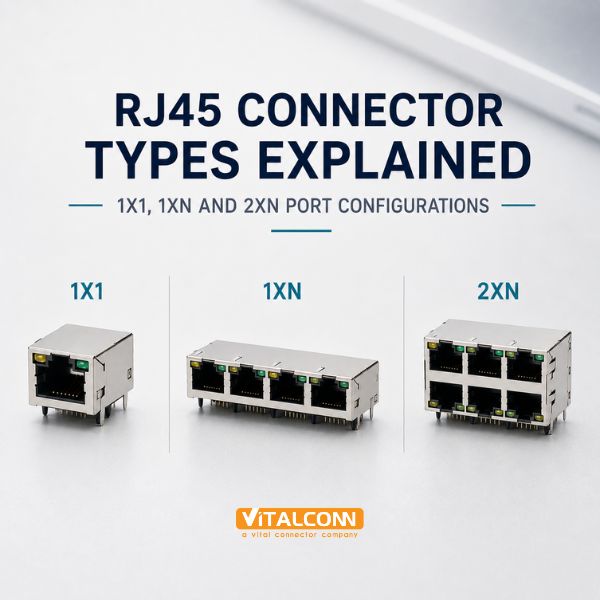
  • RJ45 Connector Types Explained: 1×1, 1×N and 2×N Port Configurations
    RJ45 Connector Types Explained: 1×1, 1×N and 2×N Port Configurations
    Sep 04, 2026
    When engineers talk about RJ45 connector types, they usually mean the port configuration first: 1×1, 1×N, or 2×N. A 1x1 RJ45 connector is a single, independent jack. A 1×N part gangs N jacks side by side in one housing — 1×2, 1×4, 1×6, 1×8 — sharing a shield frame and LED position pattern. A 2×N part stacks two of those rows vertically, so a 2×4 gives you eight ports in the depth of one row. The configuration choice drives PCB panel area, port pitch, airflow, LED routing, and even which switch ASIC you can support. This guide walks through each family, the trade-offs between ganged and stacked housings, and the selection points our application team raises most often with networking customers. Configuration Ports Typical Product Key Characteristic 1×1 1 Routers, gateways, IPC Independent housing, free placement 1×2 / 1×4 2–4 Small switches, firewalls Shared frame, consistent pitch 1×6 / 1×8 6–8 Workgroup switches Single-row density for front panels 2×2 4 NICs, compact appliances Two rows, half the width 2×4 / 2×6 8–12 Enterprise line cards Maximum faceplate density The 1×1 RJ45 Connector: Maximum Placement Freedom The single-port jack is the smallest building block and the most flexible. Each 1×1 connector can be placed wherever the board needs it, rotated to face any panel edge, and sourced independently of any other port. In products with one to four Ethernet ports — industrial gateways, security cameras, home routers — designers almost always pick discrete 1×1 jacks because the port count is too low to benefit from ganging. A 1×1 part also isolates mechanical stress. A user inserting a cable with force on port three of a ganged assembly flexes the whole housing; with discrete jacks the stress stays local. And on mixed-density products where port spacing is set by other connectors (SFP cages, USB, console ports), discrete jacks adapt to irregular pitch that no ganged part matches. For the underlying pinout shared by every one of these jacks, see our RJ45 pinout diagram and wiring guide. 1×N Ganged RJ45 Connectors: The Switch Workhorse Ganged single-row connectors exist for one reason: dense, uniform port fields. When a switch faceplate needs eight identical RJ45 ports in a row, a 1×8 connector guarantees the port pitch is uniform, the LED positions align with the silkscreen, and the shield frame is one continuous EMI structure instead of eight separate ones. Assembly benefits too: one placement instead of eight, and one shield interconnect instead of many. The trade-offs are structural. A long ganged housing concentrates insertion force across the whole part, so the mounting legs and their anchor pads must be specified with the full-width assembly in mind — coplanarity tolerance over the length of the housing is the number SMT engineers watch. Individual port replacement is impossible; a damaged port means replacing the whole part. And the fixed pitch of the ganged family must match your facepanel standard, which is usually set by the industry-common port pitch for the switch class you are building. Ganged parts share one shield frame — verify the shield ground path is continuous across every port segment. LED options (single, dual-color, or none) are fixed per part family; pick them before panel graphics are frozen. Long housings need support at both ends and at intermediate legs to control solder-joint stress. Stacked RJ45 Connector (2×N): Doubling Faceplate Density A stacked RJ45 connector puts a second row of jacks directly above the first, doubling port count at the same faceplate width. A 2×4 replaces two 1×4 parts with one component and half the panel length; on line cards and NICs where every millimeter of facepanel is revenue, this is the deciding factor. Stacking changes three engineering conversations. Mechanically, the part is tall, so retention under cable pull and vibration depends on mounting legs at both rows plus the shared housing body. Thermally, two rows of magnetics in one body concentrate heat — for 2×N magnetic jacks, check the temperature-rise data at full PoE load on every port simultaneously, not per port. In layout, routing the upper row's signals under and past the lower row constrains the escape channels, so early floorplanning with the connector's footprint drawing is essential. Orientation and Entry Options Across RJ45 Connector Types Independent of port count, RJ45 jacks come in right-angle (side entry, tab up or tab down) and vertical (top entry) orientations. Right-angle with the latch tab down is the common switch faceplate arrangement; tab-up variants exist for compact products where the cable exits upward. Vertical jacks save depth and are used where boards plug into a backplane or where the cable exits the top of an enclosure. Orientation Best For Watch Out For Right-angle, tab down Standard switch/router faceplate Latch interferes with panels below Right-angle, tab up Dense 2×N stacking, compact cases Less common; verify availability Vertical (top entry) Backplane modules, depth-limited cases Cable management above the board Magnetic Versus Non-Magnetic Within Each Configuration Every port configuration above exists in both magnetic and non-magnetic variants, and the configuration choice interacts with that one. A 2×N magnetic jack concentrates up to sixteen transformers in one body, so its thermal and crosstalk specifications carry more weight than a 1×1 part's. A 1×N non-magnetic part paired with a discrete magnetics array spreads the heat but consumes routing area exactly where density was the goal. Our magnetic RJ45 vs non-magnetic RJ45 comparison covers the electrical side in detail. Selection Checklist for Port Configuration Start from the facepanel standard: total ports, port pitch, and the height available for one or two rows. Compare total board cost, not connector cost: ganged parts cut placements but add coplanarity and stress risk. For 2×N magnetic jacks, demand full-port simultaneous thermal data, especially for PoE designs. Confirm LED style, light-pipe geometry, and legend alignment before the housing is frozen. Check the footprint drawing against your routing channels — especially upper-row escape in stacked parts. For products with mixed RJ45 and SFP ports, floorplan both connector families together; see our SFP cage guides for the adjacent constraints. If you are evaluating connectors for a full design rather than a single port question, our RJ45 connector buying guide and the Ultimate Guide to RJ45 connectors cover shield styles, plating, and manufacturer evaluation criteria. LED Indicators and Panel Details Across RJ45 Connector Types Port configuration is the headline decision, but two details ride along with it and cause just as many late-stage changes: LED indication and the panel interface. Most RJ45 connector types are offered with integrated dual-color LEDs (green for link, amber for activity), discrete LED pockets beside each port, or no LED provision at all. Ganged 1×N and stacked 2×N parts with integrated LEDs simplify assembly dramatically, because the operator no longer has to align eight separate light pipes with the front panel cutouts. The trade-off is serviceability: if one LED channel fails on a ganged part, the entire connector is replaced. When discrete LEDs are used, check the light-pipe alignment tolerance against the front-panel cutout early. We have seen projects where the panel drawing allowed ±0.4 mm on cutout position while the PCB-to-panel stack-up already consumed ±0.3 mm in standoff and hole tolerances, leaving almost nothing for connector placement accuracy. Stacked RJ45 connector parts make this worse, because the upper row of light pipes sits that much farther from the board and amplifies any tilt in the assembly. Integrated dual-color LEDs: fastest assembly, standard on most ganged parts; verify current-limiting resistors are on the board, not expected inside the jack Discrete LEDs with light pipes: flexible, but demand a tolerance stack review between PCB, connector, and panel No LEDs: common on industrial ports where status is reported through management software instead Panel bezels: many stacked and ganged parts accept an optional front bezel that hides mounting screws and improves EMI contact with the panel Panel mounting itself deserves a decision, not a default. Ear tabs and integrated studs anchor the connector to the panel so insertion forces never reach the solder joints. This matters most in high port-count panels where a technician plugging stiff Category 6A cables applies real side load. Our recommendation for any panel with more than four ports is simple: choose an RJ45 connector type with panel retention features, and let the PCB carry signals rather than mechanical load. Frequently Asked Questions (FAQ) What does 1xN mean in RJ45 connectors? 1×N describes a ganged connector with one row of N RJ45 ports in a shared housing — for example 1×4 for four ports in a row. It contrasts with 1×1 (a single independent jack) and 2×N (two stacked rows). What is a stacked RJ45 connector? A stacked RJ45 connector (2×N) places a second row of jacks directly above the first, doubling port count at the same faceplate width. A 2×4 part provides eight ports in the width normally used by four. When should I use individual 1x1 jacks instead of a ganged connector? Use 1×1 jacks when port count is low (typically under four), when ports must sit at irregular spacing, or when independent mechanical stress isolation and per-port serviceability matter more than placement efficiency. Do ganged RJ45 connectors improve EMI performance? A ganged connector provides one continuous shield frame across all ports, which simplifies shield grounding compared to several separate jacks. Performance still depends on the shield design and grounding of the specific part family.Can 2xN stacked connectors support PoE on all ports at once? Yes, when the part is specified for it. Because the magnetics of both rows share one housing, verify the datasheet's thermal-rise data for all ports powered simultaneously rather than extrapolating single-port ratings. Need Help Choosing the Right Connector? VITALCONN Electronics manufactures a full range of RJ45, SFP, USB-C, SIM, and SD card connectors with integrated magnetics, EMI shielding, and PoE support. Contact our application engineers for specifications, samples, and cross-reference support. View RJ45 Connector Request Samples
    Read More

  • SIM Card Socket Types: Nano SIM vs Micro SIM vs Standard SIM
    SIM Card Socket Types: Nano SIM vs Micro SIM vs Standard SIM
    Sep 02, 2026
    Choosing a SIM card socket starts with one question: which SIM form factor does your device accept? The three card sizes — standard (mini), micro, and nano — share the same electrical interface but differ completely in mechanical envelope, and the socket must match the card exactly. A board designed for a Nano SIM socket saves more than half the footprint of the old standard-SIM part, which is why nano has become the default in routers, IoT modules, POS terminals, and automotive telematics. This guide covers the three form factors, the contact assignments behind every SIM interface, the insertion mechanisms (push-push versus push-pull versus hinged), and the practical selection factors — detection switch, insertion cycles, ESD, and shielding — that separate a socket that lasts from one that fails in the field. Form Factor Card Dimensions Thickness Introduced Where Used Today Standard SIM (2FF, mini) 25.0 × 15.0 mm 0.76 mm 1996 Legacy industrial, M2M devices Micro SIM (3FF) 15.0 × 12.0 mm 0.76 mm 2010 Older IoT modules, tablets Nano SIM (4FF) 12.3 × 8.8 mm 0.67 mm 2012 Phones, routers, telematics, POS Standard SIM: The Legacy Format That Refuses to Die The standard SIM, also called 2FF or mini-SIM, is the full-size ID-1-derived card cut down to 25 × 15 mm. Its large body makes it mechanically forgiving: the socket contacts are bigger, the insertion guides are longer, and the card is easy to handle with gloves in industrial environments. Many long-lifecycle M2M and metering products still specify standard-SIM sockets because the format was locked in when the design was qualified, and changing it would trigger recertification. The cost of that compatibility is PCB area. A standard-SIM socket occupies roughly three times the board area of a nano part and stands taller, which constrains slim enclosures. For new designs there is rarely a reason to choose it unless the card supply chain or a legacy module dictates otherwise. Micro SIM Socket: The Middle Ground The Micro SIM socket accepts the 3FF card at 15 × 12 mm and offers a reasonable balance between contact robustness and footprint. It was the mainstream choice between roughly 2010 and 2015, and it remains common on industrial cellular modules where the module vendor's evaluation kit was built around micro SIM. Electrically it is identical to the other formats — same eight contacts, same protocol — so the choice is purely mechanical. Designers migrating a micro-SIM board to nano often use a socket that accepts the card through an adapter frame, but adapters add tolerance stack-up and are best limited to development, not production. If footprint pressure exists, move the layout to nano directly rather than carrying an adapter permanently. Nano SIM Socket: Today's Default Nano SIM at 12.3 × 8.8 mm and 0.67 mm thickness is the smallest of the three and the current standard for consumer and most industrial devices. A quality nano SIM socket compensates for the small card with precision molded guide rails, a stiff contact spring design, and a detect switch integrated into the frame. Because the card is thin and light, the retention mechanism — push-push latching or a hinged cover — does most of the mechanical work. At this scale, contact design quality matters more than in the larger formats. Look for gold-plated contacts (typically 0.1 µm minimum on the contact area), a specified normal force (usually 1–2 N per contact), and a rating of at least 10,000 insertion cycles for field-serviceable devices. Contact wipe length during insertion — how far the contact slides across the pad — is what self-cleans oxidation, and it is a real difference between socket families. Contact Assignments: The Same Eight Pads on Every Card Every SIM, regardless of size, presents the same contact layout defined by ISO/IEC 7816. The socket maps these pads to your board through either 6 or 8 contacts, and modern sockets almost always bring out all eight. Contact Signal Function C1 VCC Supply voltage (1.8 V / 3 V) C2 RST Reset from host C3 CLK Clock up to 5 MHz (class follow) C4 Reserved / USB Unused in classic SIM; USB in USB-IC cards C5 GND Ground reference C6 VPP Programming voltage (unused, often grounded) C7 I/O Bidirectional data line C8 Reserved / USB Unused in classic SIM; USB in USB-IC cards Hot-swap support deserves attention: when a card can be changed while the system runs, the socket's detect switch (a mechanical switch that closes when a card is fully seated) lets the host power down the interface cleanly before removal. Route the detect pin with a pull-up and debounce it in firmware; never let contact bounce trigger card-reset logic directly. Insertion Mechanisms: Push-Push, Push-Pull, and Hinged The insertion mechanism is independent of card size, and it drives both user experience and long-term reliability. Push-push sockets latch the card on insertion and eject it on a second push — the smartphone behavior — with a spring and slider mechanism inside. They protect the card and feel right in consumer products, but the mechanism adds height and cost, and a jammed slider in a dusty environment can lock the card. Push-pull sockets rely on contact friction to retain the card and offer lower height and cost, at the price of user discipline. Our detailed comparison in push-push vs push-pull card socket covers the reliability physics. Hinged types, where a cover flips open to receive the card, provide the best retention and are common in automotive telematics, where vibration is constant and the card must never walk out. For the broader card-connector family — SD, microSD, smart card — see the card socket connector guide. Selection Factors Beyond the Form Factor Factor What to Check Why It Matters Insertion cycles 5,000–10,000+ rating for serviceable devices Contact spring fatigue sets socket life Detection switch Presence, travel, debounce spec Hot-swap and firmware card-state logic ESD exposure Air-gap to user; TVS placement on I/O and VCC SIM pads are a touch point for users Shielding Metal shield over contacts if specified RF modules nearby radiate into card traces Mounting SMT coplanarity, anchor pads for retention Vibration pulls sockets off the board Operating temperature -40 °C to +85 °C for industrial/automotive Spring force drops with plastic creep Common Failure Modes and How Good Sockets Avoid Them Contact oxidation from insufficient wipe — choose sockets with longer contact travel. Detect switch failure from dust ingress — prefer sealed or shielded variants in dirty environments. Solder joint cracking under vibration — add anchor pads and use SMT legs with flexible geometry. Card ejection failure in push-push after shock — verify the slider mechanism's shock rating, not just static retention. Plastic fatigue at high temperature — check the housing resin rating (LCP or high-temp nylon) against your thermal profile. Whatever form factor and mechanism your design settles on, the socket is a mechanical wear part with an electrical job. Treating insertion cycles, wipe, and retention as first-class specifications — the way we specify them in our own SIM card connector series — is what keeps a connected product connected for its whole service life. Frequently Asked Questions (FAQ) What are the three SIM card sizes? Standard (mini) SIM is 25 × 15 mm, micro SIM is 15 × 12 mm, and nano SIM is 12.3 × 8.8 mm. All three use the same eight-contact electrical interface; only the mechanical envelope differs.Can a nano SIM socket accept a micro SIM card? No. The socket guide rails match one card size exactly. Adapters can physically let a nano card sit in a micro socket, but adapters add tolerance and are not recommended for production designs. What is the difference between push-push and push-pull SIM sockets?Push-push sockets latch the card and eject it with a second push using an internal slider. Push-pull sockets retain the card by contact friction only. Push-push protects the card better; push-pull is lower and cheaper. What does the detect switch on a SIM card socket do? The detect switch closes when a card is fully seated, letting the host detect insertion and removal. It enables safe hot-swap by powering the interface down before the contacts separate. How many insertion cycles should a SIM socket support? For field-serviceable devices, specify at least 10,000 cycles for user-accessible sockets. Internal M2M sockets that are inserted once at production can accept lower ratings, typically 1,000–5,000 cycles. Need Help Choosing the Right Connector? VITALCONN Electronics manufactures a full range of RJ45, SFP, USB-C, SIM, and SD card connectors with integrated magnetics, EMI shielding, and PoE support. Contact our application engineers for specifications, samples, and cross-reference support. View SIM Card Socket Cross-Reference Tool
    Read More
  • SFP Cage Mounting Types Compared: SMT vs Press-Fit vs Through-Hole
    SFP Cage Mounting Types Compared: SMT vs Press-Fit vs Through-Hole
    Aug 31, 2026
    SFP cage mounting is not a packaging detail — it defines how your optical module cage attaches to the PCB, how it survives thermal cycling, and how easy it is to rework. An SFP cage is a sheet-metal shield that surrounds the 20-contact SFP connector and guides the pluggable module into place. The cage and its connector are attached to the board through mounting legs or tabs, and those attachments come in three main styles: SMT (surface-mount technology), SFP press-fit, and through-hole solder. Each represents a different trade-off between assembly cost, mechanical strength, and long-term reliability. Because the cage carries the EMI shielding function and must hold alignment tolerances against a module that will be inserted and removed hundreds of times, the mounting interface is a structural element of the design. Choosing the wrong type shows up later as coplanarity failures at reflow, shield-ground intermittent contact, or cracked solder joints after thermal cycling in the field. Attribute SMT Mounting Press-Fit Mounting Through-Hole Solder Attachment Tabs soldered on board surface Compliant pins pressed into plated holes Legs inserted and wave/reflow soldered Assembly process Standard reflow with the connector Press operation, no solder, no heat Wave solder or pin-in-paste reflow Rework Moderate — hot air desolder Easy — press out, minimal board stress Difficult — through-hole desolder Mechanical strength Good with adequate tabs Excellent — mechanically interlocked Excellent Thermal cycling reliability Good Excellent — compliant pins flex with CTE mismatch Good Extra process step None Press operation after reflow Wave/paste step if not pin-in-paste Typical use Cost-sensitive commercial boards Telecom, industrial, high-reliability Legacy designs, heavy mechanical loads SFP Cage SMT Mounting: The Default for Modern Boards In SFP cage SMT construction, the cage legs and connector leads are formed as flat surface-mount tabs that go through the same reflow oven as the rest of the SMT assembly. The key advantage is process simplicity: the cage is just another reel-fed or tray-fed component, and no second assembly operation is needed. For boards already running a standard SMT line, this keeps per-port assembly cost at the minimum. The engineering risk with SMT mounting is coplanarity. If the cage tabs are not flat within specification — typically 0.1 mm — some tabs float above their pads and the solder joints come out starved or open. During reflow, a large cage also acts as a heat sink, so the reflow profile may need adjustment to guarantee wetting on all tabs. Design support usually means adding enough mounting tabs along the cage length and keeping the pads symmetrical so the part self-centers. Press-Fit SFP Cage: No Solder, No Heat, No Stress A press-fit SFP cage uses compliant pins: spring-shaped sections on the legs that deform elastically as they enter plated through holes, creating a gas-tight contact without any solder. This is why press-fit SFP cage designs dominate telecom and industrial equipment. The compliant section absorbs the CTE (coefficient of thermal expansion) mismatch between steel cage and laminate, so the joints do not accumulate fatigue the way solder does during −40 °C to +85 °C cycling. The practical benefits stack up: no solder means no flux, no cleaning, no reflow-profile interaction with a bulky metal part. Rework is a controlled press-out and press-in of the same or a new cage, with the plated hole designed for a limited number of insertion cycles. The trade-off is the press operation itself — you need a press machine, support tooling under the board, and a controlled force/travel window specified by the cage manufacturer. Press-fit pins create an electrical path with sub-mΩ resistance and stable contact force over life. Plated hole diameter and plating type must follow the cage datasheet exactly — an out-of-spec hole ruins the gas-tight interface. Support the PCB during pressing to avoid board flexure near BGA devices. Through-Hole SFP Cage Mounting: The Traditional Option Through-hole mounting inserts the cage legs into drilled and plated holes and fixes them with solder, either by wave soldering or by pin-in-paste reflow. It delivers the highest raw mechanical strength, which matters in applications where the board sees shock and vibration — outdoor units, transportation, and some industrial controllers. The downsides are assembly cost (a separate soldering step or specialized paste deposition) and rework difficulty: removing a through-hole soldered cage without delaminating the board takes skill and time. Modern SFP designs rarely specify pure through-hole cages unless there is a mechanical requirement behind it, because press-fit delivers similar strength with a cleaner process. Through-hole does remain relevant for cages with combined SMT signal contacts and through-hole shield legs — a hybrid arrangement that is common on boards where the high-speed signal path must be SMT but the shield needs maximum anchoring. How SFP Cage Mounting Interacts with EMI Shielding Whichever mounting style you choose, the shield legs are part of the EMI grounding system. The cage must make a low-impedance connection to chassis or logic ground at multiple points along its length; the industry-standard SFP cage drawings call for spring fingers and mounting legs spaced so that shield apertures stay electrically small at the frequencies involved. SMT legs give you dense grounding but through solder joints; press-fit gives gas-tight metal-to-metal contact; through-hole gives robust joints but at wider pitch. For a full treatment of shielding design — EMI fingers versus full shielding — read our companion article on SFP cage EMI shielding. If you are new to the product family overall, start with the Ultimate Guide to SFP cage connectors. Selection Checklist by Application Application Recommended Mounting Reason Commercial switch / router SMT Lowest assembly cost, standard reflow Telecom access equipment Press-fit Field reliability, CTE cycling, clean rework Industrial control Press-fit or hybrid TH Vibration, temperature extremes Outdoor / transportation Through-hole or press-fit Maximum mechanical retention Prototype / lab board SMT Any standard assembly line can build it Assembly and Quality Points Engineers Often Miss Verify cage coplanarity on incoming parts — SMT tabs out of flat produce intermittent shield grounds. For press-fit, validate the hole diameter, plating thickness, and annular ring against the cage drawing before the first build. Check the maximum insertion and extraction force of the module against what the mounting joints can react without peeling. On stacked or ganged cages, confirm the shared PCB region is supported so pressing at one port does not flex the neighbors. After thermal cycling qualification, cross-section at least one mounting joint of each type to look for fatigue cracks. If your program is deciding between a press-fit vs SMT SFP cage on reliability and cost grounds, the section above is the short version of the analysis our team runs with customers; for connector-level differences between data rates, see also SFP cage vs SFP+ cage. Frequently Asked Questions (FAQ) What is the difference between SMT and press-fit SFP cages? SMT cages have flat solder tabs reflowed on the board surface, while press-fit cages have compliant pins that are pressed into plated through holes without solder. Press-fit offers better thermal-cycling reliability and cleaner rework; SMT offers the lowest assembly cost. Which SFP cage mounting type is most reliable? Press-fit mounting is generally the most reliable over thermal cycling because the compliant pins flex with the CTE mismatch between the steel cage and the PCB laminate instead of fatiguing like solder joints. Can press-fit SFP cages be reworked?Yes. The cage is pressed out with dedicated tooling and a replacement is pressed back in. The plated through holes are designed for a limited number of press cycles, so rework counts should be tracked. Do SMT SFP cages need a special reflow profile?The cage body acts as a heat sink, so the profile may need a longer soak or higher zone temperatures to guarantee solder wetting on all tabs. Coplanarity of the mounting tabs is the most common defect driver. Is through-hole mounting still used for SFP cages? Yes, mainly where shock and vibration requirements demand maximum mechanical retention, or in hybrid designs that combine SMT signal contacts with through-hole shield legs. Need Help Choosing the Right Connector? VITALCONN Electronics manufactures a full range of RJ45, SFP, USB-C, SIM, and SD card connectors with integrated magnetics, EMI shielding, and PoE support. Contact our application engineers for specifications, samples, and cross-reference support. View SFP CAGE Cross-Reference Tool
    Read More
  • Magnetic RJ45 vs Non-Magnetic RJ45: Which Should You Choose?
    Magnetic RJ45 vs Non-Magnetic RJ45: Which Should You Choose?
    Aug 27, 2026
    The magnetic RJ45 vs non-magnetic RJ45 decision is one of the first choices a hardware engineer makes on any Ethernet design, and it affects PCB real estate, EMI certification, PoE capability, and BOM cost. A magnetic RJ45 (also called an RJ45 jack with integrated magnetics) has the Ethernet transformer module built into the connector housing. An RJ45 without magnetics is a plain modular jack: the transformers, common-mode chokes, and termination network must be placed on the PCB as discrete components. Both variants use the same 8P8C contact interface defined by the same mechanical standards, and both support 10/100BASE-T, 1000BASE-T, and — with the right magnetics — 2.5G, 5G, and 10GBASE-T. The difference is entirely in where the magnetics live and what that means for your board. This guide compares the two approaches the way our application engineers evaluate them in real customer designs. Attribute Magnetic RJ45 Non-Magnetic RJ45 + Discrete Magnetics Magnetics location Inside the jack (integrated module) Separate transformer/CMC network on PCB PCB area Smallest — one component Larger — jack plus magnetics plus terminations EMI performance Short, controlled paths; consistent module-level performance Depends on layout quality; excellent if done well PoE support Center taps rated in the datasheet (PoE/PoE+/PoE++) Any PoE level possible with the right transformer Design flexibility Fixed magnetics specification Free choice of transformer, CMC, and termination values BOM count 1 component 3–10+ components Typical users Switches, routers, gateways, NVRs, fast-moving designs High-end PHY layouts, custom isolation needs, cost-optimized boards What Is Inside an RJ45 with Magnetics? An RJ45 with magnetics integrates a complete line-side interface module behind the 8 contacts. For 10/100BASE-T the module contains two transformers; for 1000BASE-T it contains four — one per differential pair — plus a common-mode choke on each pair. The module also provides the center taps used for Power over Ethernet, the 75 Ω termination resistors to chassis ground through 1000 pF / 2 kV capacitors (the Bob Smith network), and in many parts integrated LEDs. The transformers provide galvanic isolation of 1500 Vrms minimum, as required by IEEE 802.3. This isolation barrier is what allows the PHY side and the cable side to sit at different ground potentials — essential in industrial and building installations where shield runs and ground loops are common. When you buy a magnetic jack, the manufacturer has already matched the transformer turns ratio (typically 1:1 for most modern PHYs with integrated line drivers) to the termination scheme, which removes a surprising amount of design risk. The Case for Magnetic RJ45 Connectors For the majority of commercial networking products, the magnetic RJ45 connector wins on four points. First, board area: a gigabit magnetic jack needs roughly the same footprint as a plain jack, while the discrete solution adds 200–400 mm² of magnetics and termination area per port. On a 24-port switch, that difference compounds quickly. Second, signal integrity consistency. The channel from PHY to cable is fixed inside the connector, so return loss and crosstalk performance does not depend on the layout engineer's skill with discrete parts. Third, manufacturing: one pick-and-place component replaces up to a dozen, improving SMT yield and reducing inspection load. Fourth, EMC certification tends to go faster because the radiated emissions from the magnetics region are shielded and controlled inside the connector body. When an RJ45 Without Magnetics Is the Better Choice An RJ45 without magnetics still makes sense in several situations. When you need non-standard isolation — for example 2250 Vrms for medical or railway applications — a discrete transformer gives you options that integrated jacks rarely cover. When the design requires a specific common-mode choke impedance or a custom turns ratio to compensate for a particular PHY, discrete magnetics are the only way. Layout teams pushing 10GBASE-T also often prefer discrete magnetics placed with symmetrical, length-matched routing under their full control. There is also a supply-chain argument. Discrete transformers come from many sources with second-source flexibility, whereas a magnetic jack locks the magnetics and the connector into one supplier. Procurement teams that insist on multi-vendor BOMs for long-lifecycle industrial products sometimes choose the discrete route for exactly this reason. For a deeper comparison of connector sourcing strategy, see our RJ45 connector buying guide. PoE and the Center-Tap Question Power over Ethernet is where the magnetic RJ45 vs non-magnetic RJ45 comparison gets electrical. PoE injects DC power as common-mode current on the cable pairs, and that current flows through the transformer center taps. The center-tap structure inside a magnetic jack must be rated for the full PD or PSE load: 13 W (802.3af), 25.5 W (802.3at), 51 W (802.3bt Type 3), or 90 W (802.3bt Type 4). At Type 4, each pair set can carry up to 1 A, and winding wire gauge, center-tap routing, and thermal rise all become limiting factors. PoE Standard Power at PD Current per Pair Set Magnetics Requirement 802.3af (PoE) 13 W 350 mA Standard center taps 802.3at (PoE+) 25.5 W 600 mA Upgraded center-tap wire gauge 802.3bt Type 3 (PoE++) 51 W 600 mA × 2 pair sets Dual center taps, thermal validation 802.3bt Type 4 90 W 960 mA × 2 pair sets High-current center taps, derated temp rise If your product must support the higher classes, check the jack's datasheet for an explicit PoE++ rating rather than assuming. Our PoE RJ45 connector guide covers the current and thermal checks in more detail. Layout and EMI Implications of Each Option With a magnetic jack, the PHY-side traces run from the PHY to the connector pins, and the critical length-controlled region is short and predictable. Keep the PHY-to-jack differential pairs at 100 Ω impedance, keep spacing between pairs at least three times trace width, and place the Bob Smith termination ground as a solid island tied to chassis at one point — most magnetic jacks bring the termination out on dedicated pins precisely to support this. With discrete magnetics, the termination network, the transformer, and the jack must be arranged in a straight line with no stubs, and the 75 Ω resistor plus capacitor network needs its own ground island. Done badly, this region becomes the dominant radiated-emissions source at the harmonics of the 125 MHz gigabit clock. Done well, it performs identically to an integrated module. The difference is engineering time versus component count. Cost Comparison: Beyond the Unit Price A magnetic RJ45 typically costs more per piece than a plain jack, but the plain jack does not stand alone. Adding discrete transformers, chokes, resistors, capacitors, and their assembly usually brings total BOM cost to parity or above at low port counts, and clearly above it on dense boards where the extra area competes with routing layers. The crossover moves in favor of discrete solutions when isolation or choke requirements are unusual, because custom integrated modules carry NRE and lead-time penalties. Cost Factor Magnetic RJ45 Non-Magnetic RJ45 Component cost per port Higher single-part price Lower jack price, plus magnetics BOM Assembly cost One placement Multiple placements PCB cost Smaller area, fewer layers Extra area, possibly extra layers Development time Short — vendor-matched channel Longer — magnetics selection and layout Second sourcing Single integrated part Multiple discrete sources Quick Selection Summary Choose a magnetic RJ45 for standard 10/100/1000 (and 2.5G/5G) Ethernet products, dense port layouts, and fast time-to-market. Choose an RJ45 without magnetics when you need custom isolation voltage, custom common-mode performance, 10GBASE-T control, or strict second-source policy. For PoE above 25.5 W, verify center-tap current ratings in the datasheet regardless of which architecture you pick. Frequently Asked Questions (FAQ) What is the difference between magnetic RJ45 and non-magnetic RJ45? A magnetic RJ45 integrates the Ethernet transformers, common-mode chokes, and Bob Smith termination network inside the connector housing. A non-magnetic RJ45 is a plain modular jack that requires the magnetics to be placed on the PCB as discrete components. Can a non-magnetic RJ45 support Power over Ethernet? Yes. PoE current flows through the center taps of the external discrete transformer, so the jack itself is not the limiting component. The transformer's center-tap current rating determines how much PoE power the design can carry. Does a magnetic RJ45 improve EMI performance? Usually yes. The integrated magnetics module has short, controlled internal paths and integrated shielding, which makes radiated emissions more predictable than a discrete magnetics layout implemented by hand. Which option is better for gigabit Ethernet? For 1000BASE-T, most commercial designs use magnetic RJ45 jacks because they save board area and remove layout risk. High-end designs sometimes still use discrete magnetics for fine-tuned signal integrity control. Do magnetic RJ45 jacks support 2.5G and 5G Ethernet? Yes. Magnetic jacks rated for 2.5GBASE-T and 5GBASE-T are widely available; check the return loss and crosstalk specifications in the datasheet, which must be tighter than gigabit-class parts. Need Help Choosing the Right Connector? VITALCONN Electronics manufactures a full range of RJ45, SFP, USB-C, SIM, and SD card connectors with integrated magnetics, EMI shielding, and PoE support. Contact our application engineers for specifications, samples, and cross-reference support. View Modular Jack RJ45 Cross-Reference Tool
    Read More
1 2 3 4 5
A total of5pages

leave a message

leave a message
If you are interested in our products and want to know more details,please leave a message here,we will reply you as soon as we can.
submit

home

products

whatsApp

contact