USB-C Connector Types: 12-Pin vs 16-Pin vs 24-Pin Explained (2026)
Aug 26, 2026
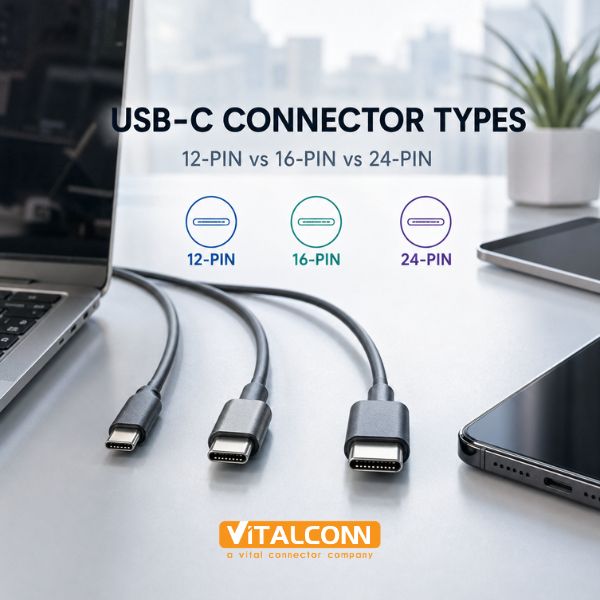
Understanding USB-C connector types is essential for hardware engineers designing products that use USB Type-C. While all USB-C connectors share the same reversible, compact form factor, the internal pin configuration varies significantly. The three most common configurations are the full USB-C 24 pin, the USB-C 16 pin, and the less common 12-pin variant. These USB-C connector types differ in data speed, power delivery capability, and application suitability. Choosing the wrong pin configuration can mean the difference between a product that supports USB4 at 40Gbps and one limited to USB 2.0 at 480Mbps. This guide breaks down each type to help you select the right connector for your design.
The USB Type-C specification defines a reversible 24-pin connector, but not all products need all 24 pins. Cost-sensitive designs can use reduced-pin-count variants that sacrifice high-speed data lanes or power delivery channels in exchange for a simpler, cheaper connector. This creates a spectrum of USB-C connector types that engineers must navigate.
VITALCONN Electronics manufactures USB Type-C connectors across all pin configurations. This guide draws on our product engineering experience to provide a practical, application-driven comparison of 12-pin, 16-pin, and 24-pin USB-C connectors. For a complete overview of the technology, start with our Ultimate Guide to USB Type-C Connectors.
USB-C 24 Pin Connector: The Full-Featured Standard
The USB-C 24 pin connector is the full implementation of the USB Type-C specification. It includes all defined contacts and supports the complete range of USB-C capabilities:
Feature
24-Pin USB-C
Notes
Max Data Speed
USB4 / Thunderbolt 4 (40 Gbps)
Supports all high-speed lanes
Power Delivery
Up to 240W (48V/5A, PD 3.1)
Full VBUS and VCONN support
Display Output
DisplayPort Alternate Mode
4-lane DP via SBU pins
Analog Audio
Audio Adapter Accessory Mode
Via SBU1/SBU2 and MIC pins
Pin Count
24 (12 per side, mirrored)
Redundant pins for reversibility
Typical Applications
Laptops, docks, monitors, hubs
Full-featured USB-C products
The 24-pin connector has 12 contacts on each side (top and bottom). Because USB-C is reversible, the pins on each side mirror each other. This means there are effectively 12 unique signal functions, each with two physical contacts (one on each orientation):
Pin Group
Pins (per side)
Function
Required For
VBUS
A4, A9, B4, B9
Power bus (4 pins, 2 per side)
Power Delivery
GND
A1, A12, B1, B12
Ground (4 pins, 2 per side)
All USB-C
TX1+/TX1-
A2, A3
High-speed TX lane 1
USB 3.x, USB4, DP
TX2+/TX2-
B10, B11
High-speed TX lane 2
USB 3.x, USB4, DP
RX1+/RX1-
B2, B3
High-speed RX lane 1
USB 3.x, USB4, DP
RX2+/RX2-
A10, A11
High-speed RX lane 2
USB 3.x, USB4, DP
D+/D-
A6, A7
USB 2.0 data
USB 2.0 fallback
CC1/CC2
A5, B5
Configuration Channel
All USB-C (orientation/PD)
SBU1/SBU2
A8, B8
Sideband Use
DP Alt Mode, analog audio
VCONN
A4/B4 (shared)
Powered cable ID chip
Active/e-marked cables
For products requiring USB4 or Thunderbolt 4 support, the USB-C 24 pin connector is mandatory. Reduced pin counts cannot support the full 4-lane high-speed configuration needed for 40Gbps data rates. For more on high-speed USB-C applications, see our USB4 vs Thunderbolt 4 guide which covers signal integrity, cable requirements, and connector selection for 40Gbps designs.
USB-C 16 Pin Connector: The Cost-Optimized Middle Ground
The USB-C 16 pin connector is the most common reduced-pin configuration. It removes one pair of high-speed differential lanes (TX2/RX2) while retaining USB 2.0, USB 3.0/3.1 Gen 1 (5Gbps), and basic power delivery:
Feature
16-Pin USB-C
vs 24-Pin
Max Data Speed
USB 3.2 Gen 1 (5 Gbps) or Gen 2 (10 Gbps, 1-lane)
Reduced from 2-lane 20Gbps
Power Delivery
Up to 100W (20V/5A) with proper contacts
Same as 24-pin for basic PD
Display Output
DisplayPort Alt Mode (2-lane, reduced)
Fewer DP lanes available
Pin Count
16 (8 per side)
8 fewer pins than full 24-pin
Cost
Lower
Fewer contacts = lower manufacturing cost
Typical Applications
Smartphones, tablets, mid-range laptops, accessories
Products that don't need USB4
The 16-pin configuration is achieved by eliminating the second high-speed lane (TX2+/TX2- and RX2+/RX2-). This means the connector supports only one direction of SuperSpeed data at a time. For USB 3.2 Gen 2 (10Gbps), this is sufficient because Gen 2 uses a single lane. However, USB 3.2 Gen 2x2 (20Gbps) and USB4 (40Gbps) require both lanes and are not supported on 16-pin connectors.
Key trade-offs of choosing USB-C 16 pin:
Lower connector cost due to fewer contacts
Simpler PCB routing with fewer high-speed differential pairs
Sufficient for USB 3.2 Gen 1 (5Gbps) and Gen 2 (10Gbps)
Cannot support USB4, Thunderbolt 4, or USB 3.2 Gen 2x2
Reduced DisplayPort Alt Mode capability (fewer lanes)
For PCB layout details including pin assignments for both 16-pin and 24-pin configurations, see our USB Type-C pinout guide which provides complete pin maps, signal descriptions, and PCB routing recommendations.
USB-C 12-Pin Connector: The Minimal Configuration
The 12-pin USB-C connector is the most reduced configuration. It typically retains only USB 2.0 data lines (D+/D-), VBUS, GND, and the Configuration Channel (CC) pins. This configuration is used in the most cost-sensitive applications where high-speed data is not required:
Feature
12-Pin USB-C
Notes
Max Data Speed
USB 2.0 (480 Mbps)
No SuperSpeed lanes
Power Delivery
Up to 15W (5V/3A) typical
Limited by contact count
Pin Count
12 (6 per side)
Minimal configuration
Cost
Lowest
Fewest contacts, simplest tooling
Typical Applications
Charging cables, basic peripherals, low-cost accessories
USB 2.0 only products
DisplayPort
Not supported
No high-speed lanes available
The 12-pin variant is primarily found in charging-only applications or USB 2.0 peripherals where the USB-C connector is used for its reversible form factor rather than its high-speed capabilities. Examples include basic USB-C charging cables, simple input devices, and low-cost consumer electronics.
USB-C Connector Types: Side-by-Side Comparison
The following table provides a comprehensive comparison of all three USB-C connector types:
Parameter
12-Pin
16-Pin
24-Pin
Max Data Rate
480 Mbps (USB 2.0)
10 Gbps (USB 3.2 Gen 2)
40 Gbps (USB4/TB4)
High-Speed Lanes
0
1 TX + 1 RX pair
2 TX + 2 RX pairs
USB 2.0 (D+/D-)
Yes
Yes
Yes
Power Delivery
Up to 15W
Up to 100W
Up to 240W (PD 3.1)
DisplayPort Alt Mode
No
Yes (reduced, 2-lane)
Yes (full, 4-lane)
Thunderbolt 4
No
No
Yes
USB4
No
No
Yes
Reversible
Yes
Yes
Yes
Typical Cost
Lowest
Medium
Highest
Best For
Charging, USB 2.0 devices
USB 3.x devices, mid-range products
USB4/TB4, high-end devices
How to Choose the Right USB-C Connector Type
Selecting among USB-C connector types depends on your product's data, power, and display requirements. Here is a practical decision framework:
Identify Required Data Speed: If your product needs USB4 (40Gbps) or Thunderbolt 4, you must use a 24-pin connector. For USB 3.2 Gen 2 (10Gbps), a 16-pin connector suffices. For USB 2.0 only, a 12-pin connector is adequate.
Determine Power Delivery Needs: For 100W+ PD, ensure the connector has adequate VBUS contacts. 24-pin connectors have 4 VBUS pins (2 per side), providing better current capacity. 16-pin connectors can typically support up to 100W. 12-pin connectors are usually limited to 15W.
Check DisplayPort Requirements: If your product needs DP Alt Mode, it requires at least a 16-pin connector. For 4-lane DP (4K@60Hz or higher), a 24-pin connector is needed.
Consider Future-Proofing: Even if current requirements are modest, using a 24-pin connector allows future firmware or product updates to leverage higher speeds without a hardware redesign.
Evaluate PCB Space and Cost: 24-pin connectors require more PCB routing for high-speed differential pairs. 16-pin and 12-pin connectors are simpler to route and lower cost.
For additional guidance on matching connector capability to environmental needs, see our USB-C connector selection guide and the waterproof USB Type-C guide for harsh-environment designs.
USB-C Connector Types and Signal Integrity Considerations
The pin count of a USB-C connector directly affects signal integrity design. Higher pin counts mean more high-speed differential pairs, which require careful PCB routing:
Signal Integrity Factor
12-Pin
16-Pin
24-Pin
High-Speed Differential Pairs
0
2 (1 TX + 1 RX)
4 (2 TX + 2 RX)
Impedance Control Required
No (USB 2.0 only)
Yes (90-100 ohm differential)
Yes (90-100 ohm differential, tighter)
ESD Protection Diodes
Minimal
Required on high-speed lanes
Required on all high-speed lanes
EMI Shielding
Basic
Recommended
Mandatory for 10Gbps+
PCB Layer Count
2-layer possible
4-layer recommended
4-6 layer recommended
For 24-pin connectors operating at USB4 or Thunderbolt 4 speeds (40Gbps), signal integrity engineering becomes critical. PCB trace length, via design, reference plane continuity, and connector footprint all impact whether the design can pass USB-IF compliance testing.
Frequently Asked Questions (FAQ)
What is the difference between 16-pin and 24-pin USB-C connectors?
The USB-C 16 pin connector has one pair of high-speed differential lanes (one TX and one RX pair), while the 24-pin connector has two pairs. This means 16-pin supports up to USB 3.2 Gen 2 (10Gbps, single lane), while 24-pin supports USB4 and Thunderbolt 4 (40Gbps, dual lane). The 16-pin connector is lower cost and simpler to route, but cannot support the highest USB-C data rates.
Can a 16-pin USB-C port charge at 100W?
Yes, if the connector is designed with adequate VBUS contacts and the power delivery controller supports it. The 16-pin configuration retains VBUS, GND, and CC pins, which are all that's needed for USB Power Delivery negotiation. However, the actual current capacity depends on the connector's contact design and PCB trace width, not just the pin count.
Are all USB-C cables 24-pin?
No. USB-C cables come in different configurations. Full-featured cables (supporting USB4/TB4) use 24-pin connectors on both ends. Many consumer charging cables use 16-pin or even 12-pin connectors to reduce cost. Always check the cable's rated speed and power — a USB 2.0 USB-C cable may have fewer pins than a USB4 cable despite using the same form factor.
Can I use a 24-pin USB-C module on a 16-pin PCB footprint?
Physically, a 24-pin USB-C connector will fit into the same PCB cutout as a 16-pin connector (the mechanical outline is the same). However, the PCB must have pads for all 24 pins. If the PCB was only designed for 16 pins, the extra 8 pins will have no pads to solder to, and the high-speed lanes they carry will be unconnected. Always match the connector pin count to the PCB footprint design.
Which USB-C connector type do I need for DisplayPort?
For DisplayPort Alternate Mode, you need at least a 16-pin connector. This supports 2-lane DP (sufficient for 4K@30Hz). For 4-lane DP (4K@60Hz or higher), you need a 24-pin connector. The 12-pin connector does not support DisplayPort at all because it lacks high-speed data lanes.
Ready to Choose the Right USB-C Connector?
Explore VITALCONN's full range of USB Type-C connectors across all pin configurations, or request free samples for your next project.
Explore USB-C Connectors View Cross-Reference Table
Read More



 IPv6 network supported